YouTube End Screens: How Can Creators Get More Views From Every Video?
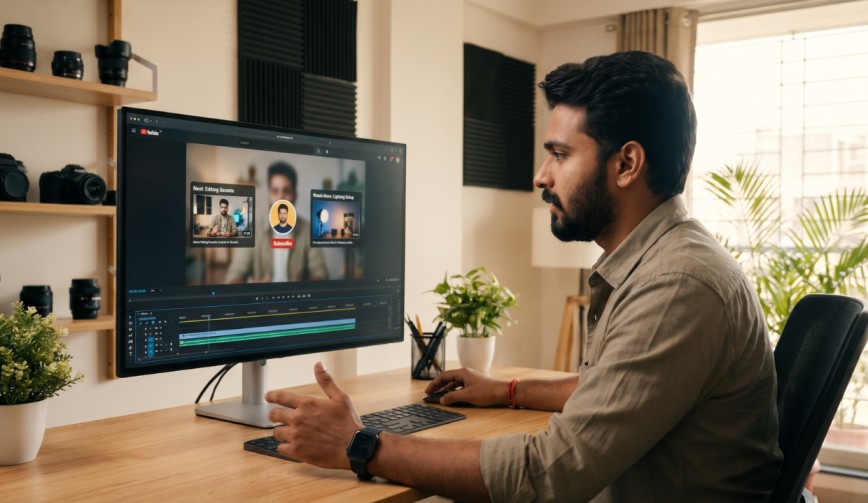
You worked hard on your video. You scripted it, filmed it, edited it, and picked a thumbnail that took three hours and two cups of tea. Then the video ends, and your viewer wanders off to watch a cat falling off a sofa. Sad, but fixable. This is exactly where YouTube End Screens come in. They are small clickable panels that appear in the last few seconds of your video and point viewers to what they should watch or do next.
Let us look at how they work and how you can use them to get more views from every upload.
What Are YouTube End Screens?
(Source – OpenAI)
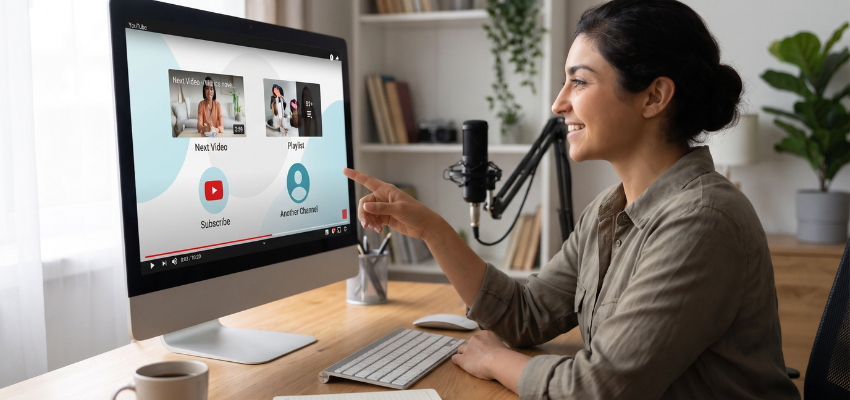
YouTube End Screens are clickable elements you add to the final 5 to 20 seconds of a video. Think of them as a friendly signpost at the exit door that says, “Loved that? Here is another one you might enjoy.”
You can add up to four elements to an end screen. These are also called end cards. They can include:
- A suggested video or playlist
- A subscribe button
- A link to another channel
- A link to an approved website (only for channels in the YouTube Partner Program)
One small rule: your video needs to be at least 25 seconds long to use them.
👉Click here to see how Boss Wallah works with brands and what we can build for you
Why End Screens Matter for Your Views
Here is the simple truth. YouTube loves it when people stay on its platform. If your video sends a viewer to another one of your videos, YouTube takes notice.
That helps in three ways:
- Watch time goes up. This is the total amount of time people spend watching your content. More watch time tells YouTube your channel is worth recommending.
- Audience retention improves. This simply means how long people stick around. Longer viewing sessions are a good sign.
- Your click-through rate gets a lift. This is the percentage of people who click on something after seeing it. A well-placed end screen can turn a casual viewer into a loyal one.
In short, one video can feed the next, and the next, and the next.
How to Add YouTube End Screens Step by Step
It is easier than assembling furniture, and there are no leftover screws.
- Open YouTube Studio (your creator dashboard) and click “Content.”
- Pick the video you want to edit.
- Click “Editor” on the left menu.
- Select “End screen” at the bottom of the timeline.
- Choose a template, or add elements one by one.
- Drag them where you want, then save.
You can also add them to old videos. So if you have a classic from three years ago that still gets traffic, give it a fresh end screen today. It is a quiet way to send old viewers to new content.
Read More | Influencer Payment Terms in India: When and How Should Creators Get Paid?
Smart Tips to Get More Clicks
Adding an end screen is one thing. Getting people to click is another. Here is what usually works.
Leave Space in Your Video
Do not wrap up your video and cut straight to the end screen. Leave 10 to 20 seconds of calm space, where you can talk, smile, and give a clear call to action. A call to action is just a polite instruction, like “Watch this next video to learn more.” Viewers do what you ask more often than you might think.
Say It Out Loud
Do not rely on the visuals alone. Tell people what to click. Something like, “If you enjoyed this, my last video on editing tips is right here.” Point if you want. Pointing is always a hit.
Pick the Right Video to Suggest
Do not suggest a random upload. Choose a video that matches the topic your viewer just watched. If someone watched your sourdough bread tutorial, show them your sourdough starter guide, not your vlog about cleaning the garage.
You can also use the “best for viewer” option. YouTube picks the video suggestions it thinks each person will like most. It is a handy choice when you are not sure what to show.
Keep the Design Clean
Too many elements make viewers freeze. Two or three is usually enough. A video suggestion and a subscribe button make a strong pair. Make sure nothing covers your face or important text.
Check Your Numbers
In YouTube Studio, open your analytics and look at end screen performance. You will see which elements get clicked and which ones get ignored. Test different placements and topics, then keep what works.
Read More | UGC Video Script Template: 7 Elements Every Brand Video Should Include.
Common Mistakes to Avoid
(Source – magnific.com)
- Adding end screens with no plan. If you have no idea what you want viewers to do, they will not know either.
- Ending the video too fast. If the end screen shows up while you are still talking about something important, people may miss both.
- Forgetting about old videos. Your back catalog can send traffic to your new content.
- Using the same layout every time. Mix it up now and then so it does not feel stale.
Need Videos, Creators, or Regional Content for Your Brand?
Boss Wallah helps brands plan and execute video content at scale, without managing multiple vendors.
We work with companies to:
- Shoot large volumes of short-form videos using real creators and studio setups, suitable for social media, websites, campaigns, and launches
- Adapt the same videos for different languages, regions, and platforms, so one shoot works across India and global markets
- Launch products or campaigns through dozens or hundreds of creators, all managed, tracked, and reported in one system
- Support brands with ongoing content, launches, regional expansion, and performance-focused campaigns
Whether you need videos for a new launch, content for multiple markets, creator-led visibility, or a steady content pipeline, Boss Wallah acts as a single partner handling production, creators, and execution end-to-end.
👉Click here to see how Boss Wallah works with brands and what we can build for you
Final Thoughts
YouTube End Screens are one of the easiest tools creators can use, and yet many skip them. They cost nothing, take a few minutes, and can turn a single view into several. Start with your best performing videos, add a clear call to action, and watch what happens to your viewer retention over the next few weeks.
Your viewers are already there at the end of the video. You just need to point them to the next door.
FAQs
1. What are YouTube End Screens?
They are clickable elements that show up in the last 5 to 20 seconds of a video. They can link to other videos, playlists, channels, or a subscribe button.
2. How long should an end screen be?
Between 5 and 20 seconds works well. Around 15 to 20 seconds gives viewers enough time to read and click without feeling rushed.
3. Can I add end screens to old videos?
Yes. You can edit any video you have uploaded through YouTube Studio. It is a smart way to push viewers toward your newer content.
4. Why can’t I see the end screen option on my video?
Your video may be shorter than 25 seconds, or it may be marked as made for kids. End screens are not available in either case.
5. Do YouTube End Screens really increase views?
They can. When viewers click to watch another video on your channel, your total views and watch time grow. The results depend on how relevant your suggestions are and how clearly you ask people to click.