Instagram Broadcast Channels: 7 Ways Creators Can Build a Stronger Community
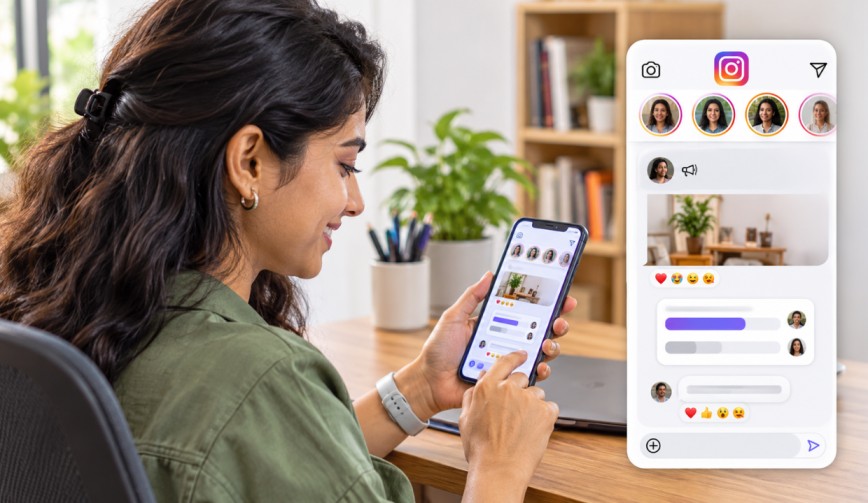
You post a reel, you wait and the algorithm decides whether or not anyone sees it. That’s the reality. Instagram Broadcast Channels are the answer to that. They allow you to send updates directly into your followers’ inboxes. Your most dedicated fans don’t have to go looking for your content. It’s effectively a group chat where you have the mic and everyone else can respond.
Below you’ll find seven simple ways you can use this feature to grow a closer, more engaged community.
👉Click here to see how Boss Wallah works with brands and what we can build for you
What Are Instagram Broadcast Channels?
(Source – OpenAI)
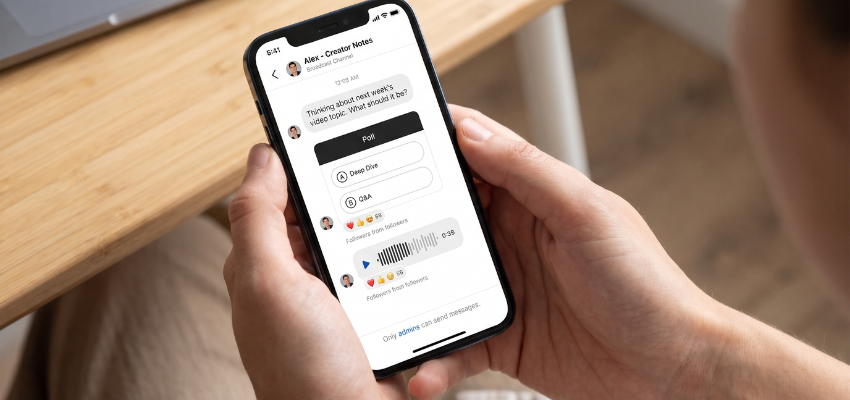
A broadcast channel is a one-to-many messaging tool within Instagram DMs. You send a message and every member of your channel sees it. Your followers can react to your messages and vote in polls, they just can’t reply in the chat (so you don’t get a massive inbox).
Availability will vary by account and region, so check your app to see if you have it.
1. Treat It Like a VIP Lounge
People join your channel because they want a bit more of you. Give them something they can’t get on your regular feed. A quick behind-the-scenes shot, a glimpse of a project or a short voice note about your day would all be good examples of that.
When the fans feel like they’re in on the inside, they stay. That’s why people love getting the good snacks at a party.
2. Use Polls to Make Fans Part of the Decision
Polls are one of the easiest ways to get engagement (i.e. how much your audience interacts with your content). Simple polls like “Which thumbnaildo you prefer?” or “What should I film this weekend?” will do the trick.
People love to have a say. When their vote actually influences the next post you put out, they feel much more connected to what you’re doing. Plus, you get free market research without having to send out a single survey.
3. Share News Before Everyone Else
Any product launch, new video or live session coming up? Let your channel know first. Early access is a little gift really to your followers to make them feel special.
You can also use the channel to nudge people about events. A message in the inbox is far harder to miss than a post in the feed.
4. Keep a Steady Posting Rhythm
You don’t need to message every hour. Indeed, you shouldn’t. Choose a rhythm that you can maintain (e.g. three messages a week) and stick to it.
A predictable schedule is the thing that enables people to know what to expect. A good content strategy (your plan for what you’re going to publish and when) doesn’t have to be complicated. It just needs to be something you can actually stick to on a busy Tuesday.
5. Mix Up Your Message Types
Text-only updates get very boring very quickly. Broadcast channels allow you to send photos, videos, voice notes and polls, so make use of all of them.
Here is an easy mix to try:
A voice note to share a quick thought.
A photo from your work in progress.
A short video with a tip.
A poll to ask what your audience wants next.
Variety keeps people interested, and the interested will open your messages.
6. Ask Questions and Listen
A community is a two-way street. Of course, followers can’t reply in the channel in the way they would in a normal conversation, but you can still get them to contribute via polls, question prompts and by asking them to get in touch through your regular DMs or comments.
Then actually use what they tell you. If a number of people ask for a tutorial, make one and post it in the channel. Nothing builds trust quicker than demonstrating that you’ve been listening.
7. Bring in Guests and Collaborators
Instagram Broadcast Channels can also have other creators as guests in certain instances. Having a friend, a partner or another Instagram creator come on and chat to your audience is a great way of giving your audience a new voice and also gives you the opportunity to introduce them to someone else.
Choose people whose work is relevant to your niche.
A baker on a baking channel is obviously the right choice.
A baker on a car repair channel would be rather confusing (though probably hilarious).
Read More | Instagram SEO Revolution: Why Search Is Replacing Hashtags.
Common Mistakes to Avoid
Even a brilliant tool can go horribly wrong if it’s used in the wrong way. Watch out for these:
Posting too often: Too many alerts and you’ll end up with people muting you or just leaving your channel altogether.
Only selling: If every message is a sales pitch, then the fans are going to switch off. You need to deliver more value than you do promotion.
Ignoring the data: Look at which messages get the most reactions and do more of those.
How to Know If It Is Working
(Source – OpenAI)
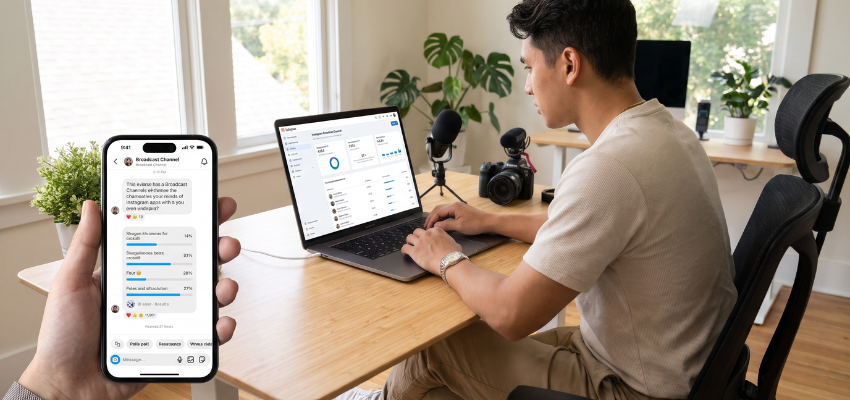
You don’t need a complicated dashboard to check your progress. Just look at a few simple metrics:
How many people join.
How many vote in your polls.
How many react to your messages.
If those numbers are going up over time, then you’re clearly getting your community building right.
If they’re staying flat, then try changing your message types or your posting times. A small tweak can make a huge difference.
Read More | How Instagram Monetisation Works: Do Views Generate Income?
Need Videos, Creators, or Regional Content for Your Brand?
Boss Wallah helps brands plan and execute video content at scale, without managing multiple vendors.
We work with companies to:
- Shoot large volumes of short-form videos using real creators and studio setups, suitable for social media, websites, campaigns, and launches
- Adapt the same videos for different languages, regions, and platforms, so one shoot works across India and global markets
- Launch products or campaigns through dozens or hundreds of creators, all managed, tracked, and reported in one system
- Support brands with ongoing content, launches, regional expansion, and performance-focused campaigns
Whether you need videos for a new launch, content for multiple markets, creator-led visibility, or a steady content pipeline, Boss Wallah acts as a single partner handling production, creators, and execution end-to-end.
👉Click here to see how Boss Wallah works with brands and what we can build for you
Final Thoughts
Instagram Broadcast Channels give you something very rare on social media indeed: a direct line to the people who actually care about what you’re doing. Use polls, share the early news, be consistent and listen to your audience. Do that and your channel can go from just a chat to a real community.
Start small, stay friendly and have some fun with it. Your audience will pick up on it.
Frequently Asked Questions
1. What Is an Instagram Broadcast Channel?
It’s a public messaging space where the creator can post updates to a large number of followers. The followers can read the posts, react to them and vote in polls. They can’t just freely reply in the channel.
2. Is It Free to Use Instagram Broadcast Channels?
Yes, the feature is free to use. You don’t need to pay to create a channel or join one (although, of course, availability may vary depending on your account type and location).
3. How Often Should I Be Posting in My Channel?
Two to four times a week is about right for most people. The ideal number is the one you can maintain without either running dry on content or driving your followers mad.
4. Can Followers Talk to Each Other in the Channel?
No. Only the creator and any invited guests can send messages. Followers can react and answer polls, which keeps the space organized and easy to follow.
5. How Do I Get More People to Join My Channel?
Promote it in your posts, stories and bio. Tell people exactly what they will get, such as early updates or exclusive photos, so they have a clear reason to join.