Want viewers from other countries? How YouTube Multi-Language Audio Can Help
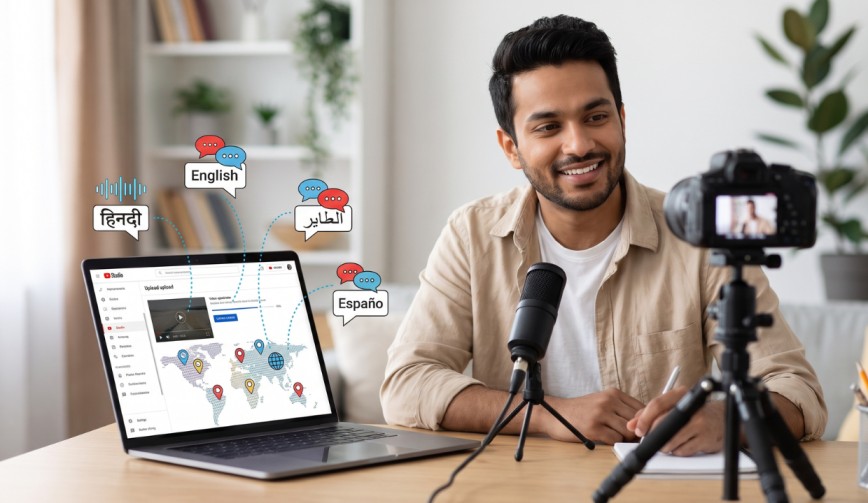
You’ve made a great video. The jokes work, the editing is excellent, and your cat makes a rather unexpected appearance. The only downside is that if your video is only in English, it’s going to be missed by a huge chunk of the world. That’s where YouTube Multi-Language Audio comes in. It enables you to add multiple spoken languages to the same video so people in other countries can hear it in their own language.
Think of it as employing a very patient translator who never asks for a coffee break.
What Is YouTube Multi-Language Audio?
(Source – OpenAI)
Put simply, it’s a feature that allows you to attach additional audio tracks to a single video. An audio track is just the sound layer of your video (your voice). Rather than creating a separate video for each language, you simply upload one video and then add multiple voice versions to it.
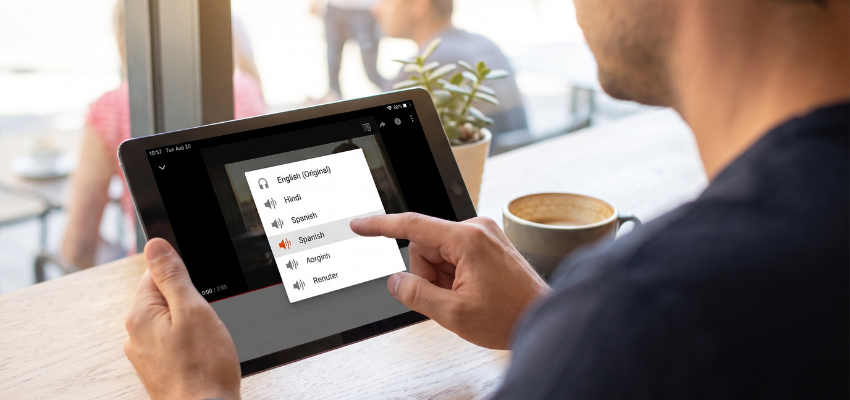
A viewer who speaks Spanish, Hindi or Portuguese can open the video, tap the settings and select their preferred language. The video itself remains unchanged; only the voice changes.
This is different from subtitles (the text at the bottom of the screen). Subtitles are useful, but many people would rather just listen than read, particularly when they’re cooking, on the commute or otherwise pretending to be at work.
👉Click here to see how Boss Wallah works with brands and what we can build for you
Why Language Matters for Growth
The vast majority of people on the internet don’t speak English as their first language. If your content is in just one language, you’re only speaking to a small fraction of the room.
When a viewer hears a video in their own language, they feel at ease. They understand it better and may be more likely to subscribe. That can translate to better watch time (the total amount of time people spend watching your content), which is one of the signals YouTube uses to help recommend videos.
Here is what you can gain:
- A bigger global audience without filming everything again.
- Higher viewer retention, meaning people stick around instead of leaving after ten seconds.
- More subscribers from countries you may not have reached before.
- Better trust, because viewers feel you made the effort for them.
One Video, Many Voices: Why It Beats Separate Channels
Some people run separate channels for different languages. It works, but it’s a massive amount of effort. You’ve got multiple upload schedules to manage, multiple communities to build, and multiple comment threads to answer.
With multi-language audio, all your views, likes and comments stay on one video. This can help keep engagement and audience activity together rather than spreading them across several uploads.
It keeps your life simple, and no one has ever complained about that.
Read More | Influencer Campaign ROI: Which Metrics Actually Matter Beyond Likes and Views?
How to Add Multiple Audio Tracks
The steps can change a little as YouTube updates its tools, but the general process looks like this:
- Open YouTube Studio (your creator dashboard).
- Go to the video you want to edit.
- Find the language or audio settings for that video.
- Select the option to add another language or audio track, if available.
- Upload your translated audio file.
- Save your changes and check the video to make sure the audio works correctly.
If you don’t see the option, the feature may not be available on your channel at the moment. YouTube has been rolling it out in stages, so it’s worth checking your settings from time to time.
Getting the Audio Ready
You have a couple of ways of creating the additional voice tracks.
- Hire a voice-over artist: A human voice can sound more natural and carry more emotion. That’s ideal for a serious video, although it may cost more.
- Work with a translator: If you don’t speak the language yourself, get someone who does to translate the script first. A literal, word-for-word translation can sound odd, and a good translator will make it feel natural.
- Try AI dubbing: Automatic dubbing uses AI to translate your video into another language. It can be quick and affordable, but it’s not perfect, so listen carefully before publishing. No one wants a tutorial that inadvertently says something inappropriate.
Tips to Get the Best Results
- Keep your sentences short: Plain speech is easier to translate and easier to follow in any language.
- Avoid local slang and inside jokes: A joke about a famous cricket match may not be understood in Brazil. Go for humour that will work in any country.
- Translate your titles and descriptions as well: This can help viewers discover your videos when searching in their own language. A viewer in Germany may be searching in German, not English.
- Start with your best videos: Don’t dub your entire library at once. Pick the videos that already have the most views and test the results first.
- Ask your audience: Look at your analytics to see which countries are already watching you. If a lot of your viewers are from Mexico, Spanish could be a sensible first choice.
Read More | Creator Marketing Attribution: Are You Measuring Influence or Just Counting Clicks?
Common Mistakes to Avoid
(Source – OpenAI)
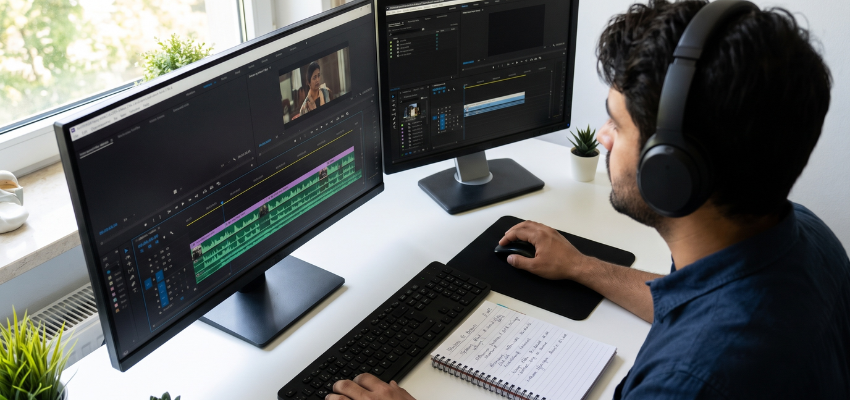
- Don’t rush audio quality: Poor audio, incorrect translations or a voice that doesn’t match the video can make viewers leave.
- Don’t forget about timing: The new audio should match what’s happening on screen. If the voice says “look at this button” two seconds after the button has vanished, the viewer will notice.
- Don’t expect overnight results: Building an international audience takes time. Test each language and review the results after giving viewers enough time to respond.
Need Videos, Creators, or Regional Content for Your Brand?
Boss Wallah helps brands plan and execute video content at scale, without managing multiple vendors.
We work with companies to:
- Shoot large volumes of short-form videos using real creators and studio setups, suitable for social media, websites, campaigns, and launches
- Adapt the same videos for different languages, regions, and platforms, so one shoot works across India and global markets
- Launch products or campaigns through dozens or hundreds of creators, all managed, tracked, and reported in one system
- Support brands with ongoing content, launches, regional expansion, and performance-focused campaigns
Whether you need videos for a new launch, content for multiple markets, creator-led visibility, or a steady content pipeline, Boss Wallah acts as a single partner handling production, creators, and execution end-to-end.
👉Click here to see how Boss Wallah works with brands and what we can build for you
Final Thoughts
If you’re looking to grow beyond your own country, YouTube Multi-Language Audio is a practical tool to try. You don’t need a bigger camera or a fancy studio. You just need to make your content accessible to viewers who speak different languages.
Start small, dub one video and check your analytics. You may be surprised by how many people were waiting for you to say hello in their language.
Frequently Asked Questions
1. What is YouTube Multi-Language Audio?
It’s a feature that allows you to add multiple audio tracks in different languages to a single video. Viewers can select their preferred language from the available audio settings.
2. Is it the same as subtitles?
No. Subtitles display translated text on screen, while multi-language audio changes the spoken language you hear. Using both can help make your content accessible to more people.
3. Do I need to speak other languages to use it?
Not at all. You can work with a translator or voice-over artist or use AI dubbing tools. If possible, have a native speaker review the final version before publishing.
4. Will it actually help me get more views?
It can help you reach viewers who prefer watching content in their own language. If they find the video useful and engaging, they may watch for longer or subscribe. Results will depend on your content and audience.
5. Is the feature available to every creator?
Availability may vary by channel and YouTube’s current rollout. Check YouTube Studio for the latest options available to your account.