YouTube Community Posts: How to Keep Your Audience Engaged Between Uploads
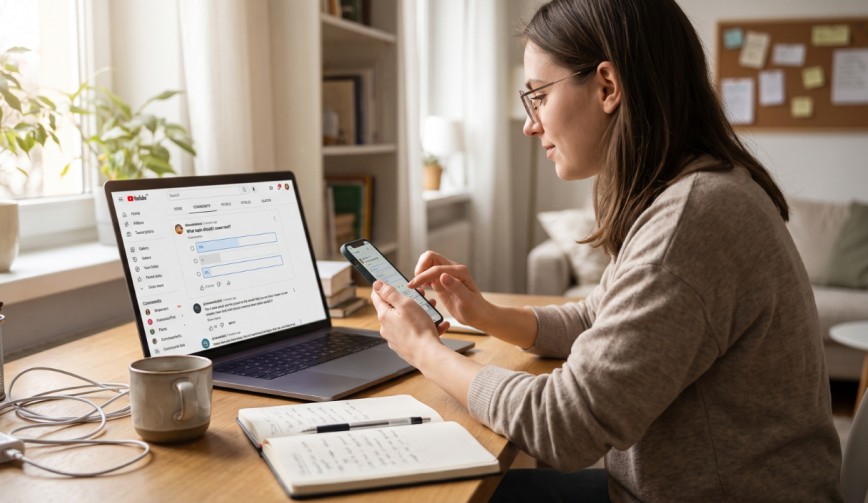
To be honest, it’s impossible for anyone to upload a video every single day unless they have no fixed sleeping hours and a family that is extremely patient. So what do your viewers do during the periods when videos are not uploaded? They usually turn to watching somebody else.
That’s exactly why YouTube Community Posts are useful. They enable you to send out short updates, polls, images, and questions directly to your audience without the need to film or edit anything. When used properly, they keep your channel active even when your editing software is not open.
What Do YouTube Community Posts Consist Of?
(Source – OpenAI)
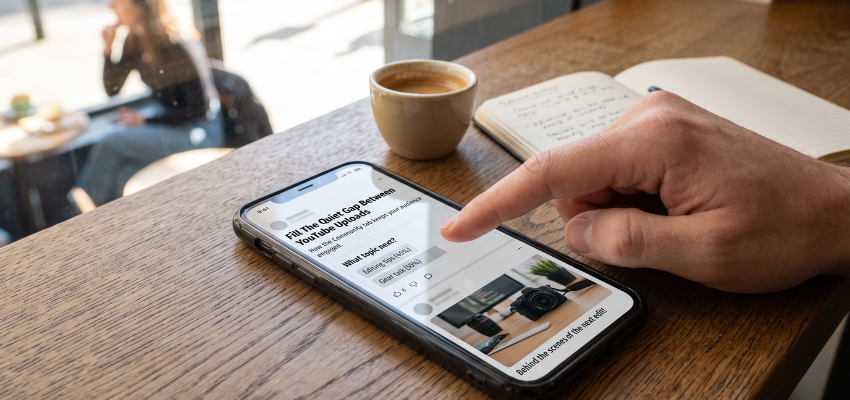
Imagine a compact social media feed integrated directly into your channel. You have the option of posting a brief text update, sharing a photo, conducting a poll, or even posting a quiz. Your subscribers may see these posts in places such as their Home feed, Subscriptions feed, and your channel’s Posts tab.
The highlight is that although it takes only a few minutes to create a post, it can lead to genuine audience engagement. Engagement refers to the extent to which people interact with your content by liking it, commenting on it, voting in polls, and sharing it.
The more your viewers carry out these actions, the more they may feel like they are part of your channel rather than just random individuals watching from the side.
👉Click here to see how Boss Wallah works with brands and what we can build for you
Why Community Posts Matter for Your Channel
Your subscribers don’t always check your channel because life gets busy and people tend to forget. A post appearing in their feed acts as a gentle reminder that you are still around and that you are worth returning to.
There’s also an extra benefit when it comes to growing your YouTube channel. YouTube uses various signals to recommend content to viewers. If people interact with your posts, it can help you understand what interests your audience and encourage them to return to your channel. However, engagement on Community Posts does not automatically guarantee that your next video will receive more recommendations.
How to Access and Create a Post
YouTube’s feature availability requirements can change, so check whether Community Posts are available for your channel. You can generally create a post by following these steps:
- Open YouTube and sign in to your account.
- Navigate to your channel or open the post creation option.
- Choose a post type, such as text, image, poll, or quiz, if available.
- Compose your message and add any relevant visuals or options.
- Review your post and click Publish.
That’s all there is to it. There’s no need for special equipment, and no ring light is necessary.
Read More | YouTube Search vs Suggested Videos: Where Should Creators Focus?
7 Post Ideas That Actually Work
Lacking ideas is a common issue, so here are seven simple ones to get you started.
1. Polls
A poll consists of a simple question with several possible answers. For example, you could ask, “Which topic should I cover next?”
People enjoy offering their opinions, and you get useful feedback about what your audience wants to see.
2. Behind-the-Scenes Content
Post a picture of your cluttered desk, your filming setup, or your fifth unsuccessful attempt at creating a thumbnail. Sharing behind-the-scenes content makes you seem more relatable and helps viewers connect with you.
3. Teasers for Future Videos
Give your audience a brief hint about what’s coming next. A teaser is a short preview designed to create curiosity.
For example, you could write, “There’s going to be a big video on Friday. I might have made a huge mistake.”
A little mystery can make people curious enough to return for the full video.
4. Questions and Discussions
Ask your viewers about their favourite tools, books, habits, or experiences related to your content.
Simple questions are often easier to answer than complicated ones, making it more convenient for viewers to join the conversation.
5. Quizzes
If your videos are educational, a quiz is a good way to test your viewers’ knowledge and give them a reason to return.
For example, if you teach photography, you could ask viewers to identify the best camera setting for a particular situation.
6. Celebrate Achievements
When you reach 1,000 subscribers or another important milestone, take a moment to say thank you.
People enjoy being part of a creator’s journey, and celebrating achievements can help strengthen your connection with your audience.
7. Promote Your New Videos
Give your latest video a little extra attention by sharing a link or a reminder on the day it goes live.
You can also ask a question related to the video to encourage viewers to watch it and share their thoughts.
Build a Simple Posting Routine
It’s not necessary to post every single day. On the contrary, posting too frequently can be rather like having a friend who sends you forty texts before breakfast.
A content calendar can help because it provides a simple schedule outlining what you plan to post and when.
A good starting point is to publish two or three posts each week on the days between your video uploads.
For example, if you upload videos every Saturday, you might:
- Tuesday: Publish a poll asking viewers what they want to learn next.
- Thursday: Share a behind-the-scenes photo or a teaser.
- Saturday: Share a link to your new video.
Stay consistent, keep the tone light, and adjust your schedule according to how your audience responds. You don’t need to post every day to stay connected.
Add a Clear Call to Action
A call to action, usually known as a CTA, is simply a suggestion that tells people what to do next. Examples include:
- “Vote in the poll.”
- “Let me know in the comments.”
- “Watch the new video here.”
Without a clear invitation, people may simply scroll past your post, even if they find it interesting.
Keep your call to action simple and limit yourself to one main request at a time. Asking people to like, comment, share, subscribe, and visit your website in the same post can be a bit much.
Read More | YouTube New Monetisation Rules: From Shorts to Monetisation, What’s New?
Use Posts to Boost Your Watch Time
Watch time refers to the total amount of time people spend watching your videos. It is one of the metrics YouTube uses to understand how viewers engage with video content.
You can use Community Posts to direct viewers to older videos that are still useful. For example, if you published a helpful tutorial last year, you could share it again with a note such as, “Still stuck on this? This video might help.”
This costs you nothing and can bring renewed attention to videos that viewers may have missed. While a post can encourage people to watch, it does not guarantee an increase in watch time.
Mistakes to Avoid
Even a straightforward tool can fail if you use it carelessly. Watch out for these common mistakes:
- Posting without a purpose: A post that simply says “Hello” may not give people a reason to respond. Try asking a question or sharing something useful instead.
- Ignoring comments: If someone replies to your post, respond when possible. Even a short reply can help build a stronger connection.
- Being overly promotional: If every post is an advertisement for your latest video, product, or service, people may lose interest. Mix promotional posts with useful and entertaining content.
- Ignoring visuals: An image or poll can make a post more engaging than plain text, depending on the topic and audience.
- Being inconsistent: Posting five times in one day and then disappearing for a month can make it harder to maintain a regular connection with your audience.
Check What Is Working

(Source – OpenAI)
After publishing several posts, check the available analytics in YouTube Studio and look at which ones received the most likes, votes, and comments.
Pay attention to patterns in your results:
- If polls perform well, try publishing more relevant polls.
- If questions receive plenty of replies, use them to start more discussions.
- If posts promoting older videos attract viewers, consider sharing other useful videos.
- If certain posts receive little attention, experiment with different topics, formats, or posting times.
There’s no need to guess what your audience likes when you can learn from their responses. Keep experimenting and focus on the formats that work best for your channel.
Need Videos, Creators, or Regional Content for Your Brand?
Boss Wallah helps brands plan and execute video content at scale, without managing multiple vendors.
We work with companies to:
- Shoot large volumes of short-form videos using real creators and studio setups, suitable for social media, websites, campaigns, and launches
- Adapt the same videos for different languages, regions, and platforms, so one shoot works across India and global markets
- Launch products or campaigns through dozens or hundreds of creators, all managed, tracked, and reported in one system
- Support brands with ongoing content, launches, regional expansion, and performance-focused campaigns
Whether you need videos for a new launch, content for multiple markets, creator-led visibility, or a steady content pipeline, Boss Wallah acts as a single partner handling production, creators, and execution end-to-end.
👉Click here to see how Boss Wallah works with brands and what we can build for you
Final Thoughts
YouTube Community Posts are one of the simplest ways to keep in touch with your viewers when you’re not uploading videos. They’re quick to create and can help you stay connected with your audience between uploads.
Start small, remain consistent, and let your personality come through. Ask questions, share updates, celebrate milestones, and give viewers a reason to participate. Over time, these small interactions can help build a community that looks forward to your next upload.
Frequently Asked Questions
1. Is It Necessary to Have a Specific Number of Subscribers to Use YouTube Community Posts?
YouTube’s eligibility requirements can change. Check YouTube Studio or YouTube’s official help documentation to confirm whether the feature is available for your channel.
2. How Frequently Should I Post?
Two or three times a week is a reasonable starting point. The aim is to stay visible without overwhelming your viewers. Adjust the frequency based on your audience’s response.
3. Will Community Posts Help My Videos Get More Views?
They can encourage viewers to visit your channel, discover older videos, and watch new uploads. However, more views are not guaranteed.
4. What Sort of Post Receives the Highest Engagement?
Polls and straightforward questions are often useful because they are easy to answer. However, every audience is different, so experiment with different formats and review your results.
5. Can I Share Links in My Community Posts?
Yes, you can share links to YouTube videos and other eligible destinations, subject to YouTube’s current features and policies. Linking to your own relevant videos is a useful way to guide viewers towards more of your content.