Meta AI versus Canva AI: Which Is Better for Social Media Creatives?
If you’re posting on social media on a regular basis you’ll be familiar with the problem. You need fresh content, compelling imagery and captions that don’t sound as though a robot has written them all, before your coffee goes cold. That’s why the Meta AI vs Canva AI debate is such a regular feature in creator groups. Both tools claim to save you time but they do it in completely different ways. Let’s just lay it out in the most straightforward terms so you can make the right choice without any stress.
What Is Meta AI?
(Source – OpenAI)
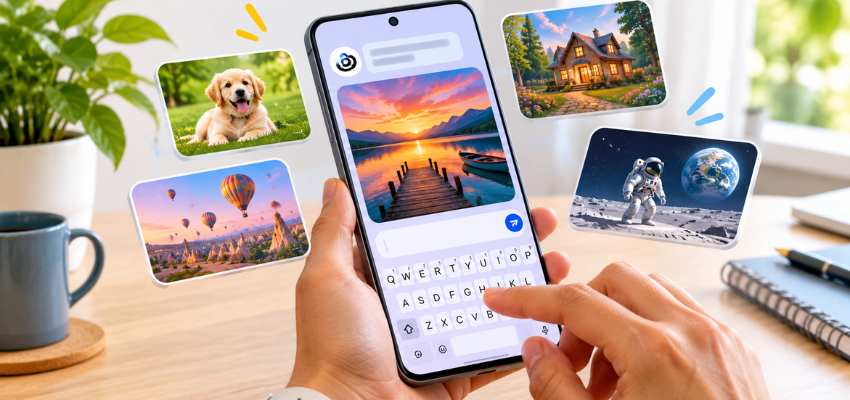
Meta AI is a free AI assistant that lives inside the apps (Instagram, WhatsApp and Facebook to name a few). You type what you’re looking for and it gives you ideas, text and images. It’s effectively a chatty friend that’s built into your messaging apps and will never get fed up with your questions.
Its best trick is the text-to-image feature. That’s as simple as describing a picture in words and it draws it for you. If you type “a cat in sunglasses on a beach” you’ll get exactly that (apart from the sand in your shoes).
👉Click here to see how Boss Wallah works with brands and what we can build for you
What Is Canva AI?
Canva is a very popular graphic design tool and its AI tools are embedded within it as part of a suite called Magic Studio. The AI can write copy, create images, remove backgrounds and suggest layouts. Rather than just giving you one image, it’s all about building up a complete finished design.
If Meta AI is a quick sketch artist, then Canva AI is a full design studio with the lights already on.
Read More | UGC Video Script Template: 7 Elements Every Brand Video Should Include.
Meta AI vs Canva AI: Head-to-Head Comparison
Feature | Meta AI | Canva AI |
|---|---|---|
| Ease of Use | Very easy to use, with a simple chat interface | Easy to use, but has a small learning curve |
| Image Creation | Quickly generates images from text prompts | Generates images with built-in editing options |
| Templates and Layouts | No built-in design templates | Thousands of ready-made templates |
| Caption and Text Writing | Helps create captions, hooks and hashtags | Offers AI writing tools alongside designs |
| Brand Consistency | No dedicated Brand Kit | Brand Kit saves logos, colours and fonts |
| Cost | Free to use within supported Meta apps | Free plan available, with paid upgrades |
Ease of Use
Meta AI wins on simplicity, really. You’ve got an app you already use. You type in a request and you get a result. There’s nothing new to learn.
Canva does take a bit longer to get to grips with initially as there are so many buttons, menus and options. Once you’ve got the hang of it, though, the layout is very natural and the drag-and-drop feature is really quite intuitive, even for absolute beginners.
Image Creation
For a fast AI image generator, Meta AI is brilliant for the fun stuff, the creative stuff and the eye-catching stuff. It’s perfect if you’re after:
A background
A quirky illustration
An interesting visual idea for your next post
Canva also produces images, but its real power lies in what you can do with them. You can take the image Canva generates and:
Put it into a pre-made template.
Add text and change the colours.
Adjust the layout.
Export it in the correct size.
Meta AI gives you the image. Canva gives you the finished post.
Templates and Layouts
This is where Canva really comes into its own. You’ve got thousands of templates for:
Instagram posts
Instagram Stories
Reels covers
LinkedIn banners
A template is essentially a pre-made design that you just populate with your own text and images.
Meta AI doesn’t offer templates. If you want a clean carousel with consistent fonts and colours, then you’ll have to build that elsewhere.
Caption and Text Writing
Both of these tools can help you with writing captions, hooks and hashtag ideas.
Meta AI feels more like a conversation, so you can just keep asking it to make the content:
Funnier
More concise
More professional
Canva’s writing tool is right there alongside your design, which is obviously a massive time saver as you don’t have to jump between apps.
Either way, always read the text before you post. AI is quite clever, but it still tends to throw in things like “unlock your potential” rather too frequently.
Brand Consistency
If you’re running a business or managing client pages, then your posts should all look like they belong together.
Canva’s Brand Kit allows you to save your:
Logo
Brand colours
Fonts
This helps ensure that every design you create stays on brand.
Meta AI has no such feature, so every image is a completely fresh start.
Cost
Meta AI is free to use within the Meta apps. Canva has a free plan, but some of its more powerful AI design tools are behind a paid plan.
The pricing and feature sets are subject to change, so always check the current details before you make a commitment.
Quick Comparison Table
Feature | Meta AI | Canva AI |
|---|---|---|
| Ease of use | Very easy | Easy, with a small learning curve |
| Image generation | Fast and fun | Good, with editing built in |
| Templates | None | Thousands |
| Brand Kit | No | Yes |
| Caption help | Yes | Yes |
| Starting cost | Free | Free plan, paid upgrades |
Read More | Creator Portfolio for Brand Deals: No Clients, No Collabs, No Problem.
Which One Should You Choose?
Here’s the honest answer: it depends on what you do.
Choose Meta AI if:
You just want quick ideas and simple images.
You need assistance with writing captions.
You prefer working within apps you’re already using.
You want a free tool for quick posting and those 11 pm brainstorms.
Choose Canva AI if:
You want professional-looking social media content.
You need consistent colours, fonts and layouts.
You regularly create content for different platforms.
You’re a small business owner, marketer or content creator.
Use Both If You Want the Best of Both Worlds

(Source – OpenAI)
A lot of people work with Meta AI to generate their initial ideas and then go into Canva to do the actual design. It’s a bit like asking a friend for some ideas and then asking a pro to do the final design.
Need Videos, Creators, or Regional Content for Your Brand?
Boss Wallah helps brands plan and execute video content at scale, without managing multiple vendors.
We work with companies to:
- Shoot large volumes of short-form videos using real creators and studio setups, suitable for social media, websites, campaigns, and launches
- Adapt the same videos for different languages, regions, and platforms, so one shoot works across India and global markets
- Launch products or campaigns through dozens or hundreds of creators, all managed, tracked, and reported in one system
- Support brands with ongoing content, launches, regional expansion, and performance-focused campaigns
Whether you need videos for a new launch, content for multiple markets, creator-led visibility, or a steady content pipeline, Boss Wallah acts as a single partner handling production, creators, and execution end-to-end.
👉Click here to see how Boss Wallah works with brands and what we can build for you
Final Thoughts
There’s no clear winner in the Meta AI versus Canva AI war, really, as they’re solving slightly different problems. Meta AI is the rapid idea generator. Canva AI is the full content creation workspace.
If you only have time to learn one tool, Canva is the safer bet if you’re going to be producing a consistent stream of branded content. If you just want quick and free assistance, then Meta AI will more than deliver.
Try both for a week, see which one works with your routine and keep the one that makes you smile rather than sigh.
FAQs
1. Is Meta AI free to use?
Yes, Meta AI is free within Instagram, WhatsApp and Facebook (although availability may vary by region).
2. Can Canva AI create images from text?
Yes, Canva has a text-to-image tool which will turn your text into an image that you can then use directly in your design.
3. Which tool is better for beginners?
Meta AI is easier to get into as it’s basically a chat. Canva is still quite accessible to beginners, but it has a lot more to discover.
4. Can I use Meta AI and Canva AI together?
Yes. You can generate an image or caption idea with Meta AI and then add it to a Canva template to create a really nice final post.
5. Which one is better for business social media pages?
Canva AI is generally the better option for businesses thanks to its templates, Brand Kit and the ease of resizing designs for different platforms.