Got Something Important to Say? Make Instagram Pinned Comments Work for You
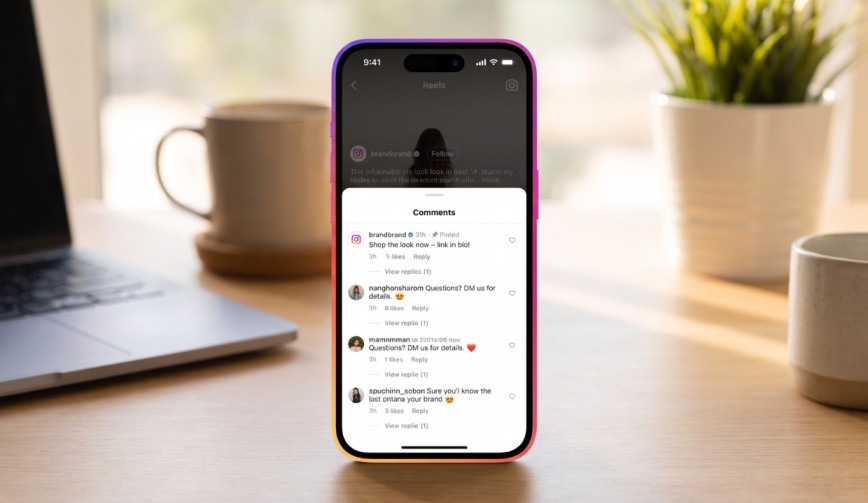
You post a great photo, add a great caption and then watch your comment section go absolutely wild. Someone will have asked the very same question that you’ve already answered; someone else will have dropped a random link and your important announcement is completely lost in the maelstrom. That’s where Instagram pinned comments come in. They allow you to pin your very best comments to the top of the comment section so they’re seen first.
Think of it as just putting a sticky note on the front door. They may wander all over the place, but they’re going to see that note as they come in.
What Are Instagram Pinned Comments?
(Source – OpenAI)
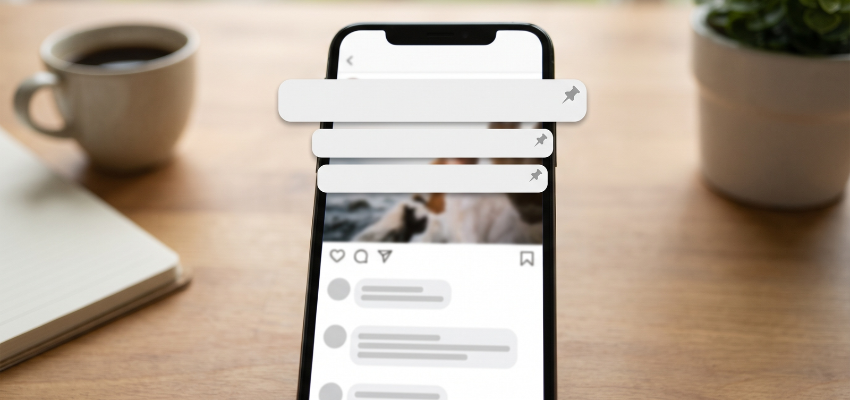
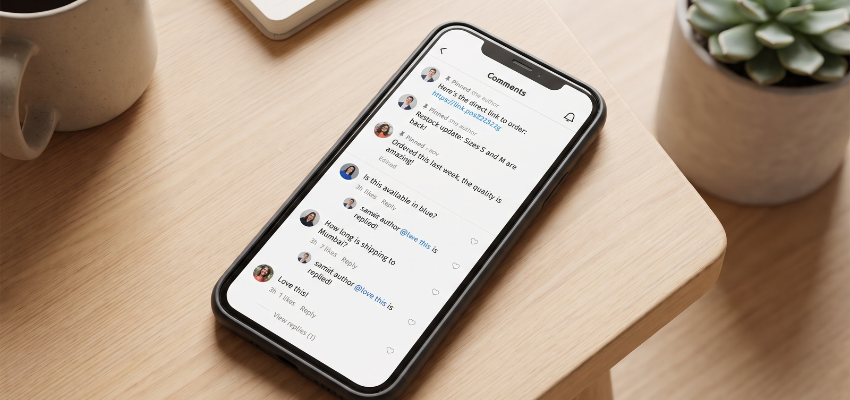
Instagram pinned comments are comments that you choose to keep at the very top of the Instagram comment section on your post. Comments normally appear in the section based on recency or popularity. Pinning allows you to override that and decide which comment people see first.
- You can pin up to three comments on a single post.
- A small pin icon appears alongside each pinned comment so people know it’s a pinned comment.
- This works on standard photo posts, carousels and Instagram Reels.
👉Click here to see how Boss Wallah works with brands and what we can build for you
Why Should You Bother With Pinned Comments?
Fair question. You’re busy and hitting a few more buttons probably doesn’t seem all that exciting. But pinning does have its benefits.
- You control the conversation. Rather than having the conversation drift off in some random direction, you can lift the comments that are worth something. A good review, a good joke or a useful tip can set the tone for everyone else who’s going to be scrolling past.
- It stops you having to repeat yourself. If people are constantly asking “Where can I buy this?” or “What time does it start?”, then pin one comment with the answer. Fewer people will then have to ask the question and you’ll have a lot more coffee breaks.
- It leads to better Instagram engagement. If the top of your comments is buzzing and interactive, people are far more likely to join in. A good top comment will often encourage others to chime in.
- It gives your followers some credit. Pinning a comment from a follower is a great way to say thank you. They get the notification and I can guarantee they’ll be delighted.
Read More | Same Video, Different Designs: How YouTube Thumbnail Testing Can Get More Clicks.
How to Pin a Comment on Instagram
Good news: it only takes a few seconds. Here’s how to pin a comment on Instagram on various devices.
On iPhone:
- Open the post and tap the comments icon.
- Swipe left on the comment you want to pin.
- Tap the pin icon.
On Android:
- Open the post and scroll down to the comments.
- Press and hold the comment.
- Tap the pin icon at the top of the screen.
On a computer:
- Open the post in your browser.
- Hover over the comment and click the three dots.
- Select the pin option.
If the option doesn’t appear, your app is probably out of date. Update it and try again. You can only pin comments on your own posts, so no pinning on your friend’s holiday photos.
How to Unpin a Comment
Changed your mind? No worries. To unpin a comment, you simply do the same thing you did to pin it. The pin icon now functions as an unpin icon. Tap it and the comment will be back in its normal position in the list.
You can only have three pinned comments at any one time, so you’ll need to unpin one in order to pin a fourth.
Smart Ways to Use Instagram Pinned Comments
Now for the fun bit. Here are some practical ideas to get your pinned comments to actually earn their place.
- Share the key details. If you’re running a sale or having an event, write a comment with the date, time and link instructions and pin that. Your caption can be as short and simple as you like, and the pinned comment is where all the extra information goes.
- Post an FAQ. If you’re selling products or offering services, answer the most commonly asked question in a comment and pin it. Very useful for small business owners who don’t want to type the same reply out 50 times.
- Start a conversation. Ask a simple question such as “Which one would you pick?” and pin it. That gives people a clear nudge to respond and can improve your Instagram engagementwith no extra work required.
- Show off social proof. Social proof is simply evidence that other people like what you’re doing. A fantastic comment from a happy customer, pinned to the top, is far more convincing than any sales pitch.
- Handle negativity as gracefully as you can. You can’t just pin away a nasty comment, but you can pin a friendly or funny one above it. That way the first thing people see is the positive. For the genuinely nasty comments, you can simply delete them or use the comment controls in your settings to filter out certain words.
- Add credits and links. If you want to tag a photographer, credit a source or just point people to your website, a pinned comment is the cleanest place to do it.
Read More | How Do You Choose the Right UGC Content Production Agency for Your Brand?
A Few Tips to Keep in Mind
(Source – OpenAI)
- Don’t just pick comments because they flatter you. Pick the ones that are genuinely going to be of use or interest to your audience.
- Variety is the name of the game too, so mix in some useful info with a bit of personality.
- Refresh your pins from time to time. If your pinned comment is about a sale that finished last week, it’s probably time to replace it. No one wants to read about yesterday’s news.
- Remember that the person whose comment you’ve pinned will get a notification. It’s a tiny thing, but it goes a long way to building goodwill. Pin kindly.
Need Videos, Creators, or Regional Content for Your Brand?
Boss Wallah helps brands plan and execute video content at scale, without managing multiple vendors.
We work with companies to:
- Shoot large volumes of short-form videos using real creators and studio setups, suitable for social media, websites, campaigns, and launches
- Adapt the same videos for different languages, regions, and platforms, so one shoot works across India and global markets
- Launch products or campaigns through dozens or hundreds of creators, all managed, tracked, and reported in one system
- Support brands with ongoing content, launches, regional expansion, and performance-focused campaigns
Whether you need videos for a new launch, content for multiple markets, creator-led visibility, or a steady content pipeline, Boss Wallah acts as a single partner handling production, creators, and execution end-to-end.
👉Click here to see how Boss Wallah works with brands and what we can build for you
Final Thoughts
Instagram pinned comments are a tiny feature with a massive benefit. They’re a great way to share some key info, steer the conversation and make your posts look more structured. The best part is you can do it in just a couple of taps.
So the next time you’ve got something important to say, don’t let it get lost in the crowd. Pin it and let it sit at the top where it belongs.
Frequently Asked Questions
1. How many comments can I pin on Instagram?
You can pin up to three comments to each post. If you want to pin another one, you’ll need to unpin one first.
2. Can I pin a comment to someone else’s post?
No. Only the poster can pin a comment. You can comment, you just can’t pin it.
3. Does the person know when I pin their comment?
Yes. Instagram sends them a notification so they’ll know their comment has gone to the top. Most people are quite happy to see it.
4. Can I pin my own comment?
Yes, you can write a comment on your own post and pin it. It’s a fairly common trick to share some extra detail, a link or an answer without cluttering up your caption.
5. Why can’t I see the pin option?
Your app may need an update, or you may be trying to pin a comment on a post that is not yours. Update Instagram, double check the post, and try the steps again. If it still does not work, restarting the app often helps.