How to Check if a Channel Is Monetised Before Paying for Promotion
If you are planning to pay a creator for promotion, pause for a minute.
Before sending money, you must understand how to check if a Channel Is Monetized. This simple check can protect your budget from being wasted on channels with fake followers, low engagement, or policy issues.
Monetization is not just about earning money from ads. It also shows that the platform trusts the creator and that the account meets certain rules. While monetisation alone does not guarantee quality, it is an important signal.
Let us break this down clearly and practically.
What Does “Monetised Channel” Mean?

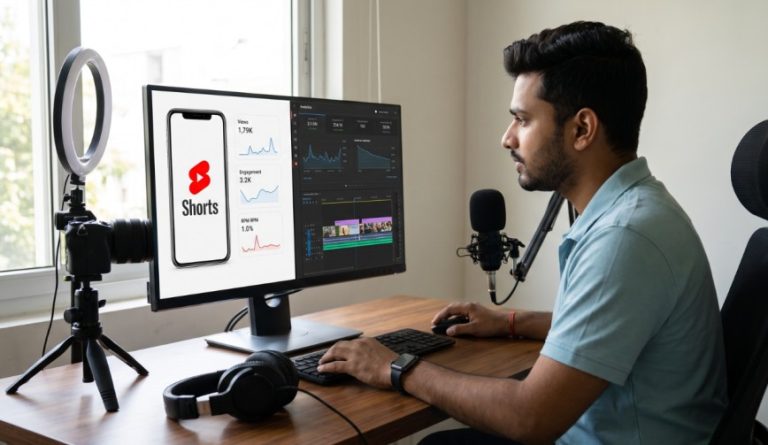
( Source – qikink.com )
A monetised channel is one that is approved by the platform to earn money through built-in features such as ads, memberships, or subscriptions.
Most platforms allow monetization only when:
The creator meets the minimum follower or subscriber limits
The channel achieves the required watch time or engagement
The content follows platform guidelines
The account has no major policy violations
Because of these requirements, monetisation often reflects consistency and credibility.
However, some good creators may choose not to enable ads. That is why you should combine monetisation checks with engagement analysis.
ALSO READ | How to Check if a Channel Is Monetised on YouTube Step by Step.
Why Checking Monetisation Is Important Before Promotion
When you pay for promotion, you are investing in exposure and trust.
If the channel is not monetised and also has weak engagement, you may face:
Low conversion rates
Poor return on investment
Risk to your brand reputation
Understanding how to check if a Channel Is Monetized helps you avoid paying for numbers that look impressive but deliver no real results.
How to Check if a Channel Is Monetised on YouTube
YouTube requires creators to join the YouTube Partner Program to earn ad revenue. To qualify, they usually need at least 1,000 subscribers and require watch hours or Shorts views.
Here are the main signs to look for.
Signs of a Monetised YouTube Channel
| Check Point | What to Look For | What It Means |
|---|---|---|
| Ads on Videos | Ads before or during videos | Strong sign of monetisation |
| Join Button | “Join” next to Subscribe | Channel memberships enabled |
| Super Thanks / Super Chat | Paid features under videos or in live chats | Monetization tools active |
| High Subscriber Count | 1,000+ subscribers with strong watch time | Likely eligible for monetisation |
| Consistent Uploads | Regular and policy-safe content | Platform approval likely |
What You Should Understand
Ads appearing on multiple recent videos usually confirm monetisation.
Membership tools like Super Chat are available only to eligible creators.
Subscriber count alone is not proof. Always check views and engagement.
For example, 50,000 subscribers with only 500 views per video is not a good sign.
How to Check if a Channel Is Monetised on Instagram
Instagram does not openly display monetisation status. You need to observe indirect signals.
Instagram monetisation can include subscriptions, branded content, and ad revenue sharing.
Signs of Monetisation on Instagram
| Check Point | What to Look For | What It Suggests |
|---|---|---|
| Subscription Option | “Subscribe” button on profile | Eligible for paid subscriptions |
| Branded Content Tag | “Paid partnership with…” | Doing brand promotions |
| Strong Engagement | Healthy likes and comments ratio | Real audience |
| Creator Account | Professional dashboard active | Monetisation tools available |
| Regular Collaborations | Frequent sponsored posts | Trusted by brands |
What This Means for You
If a creator has subscription features and active brand partnerships, it shows trust and consistency.
But engagement is still key.
For example:
100,000 followers with 400 likes per post is weak.
20,000 followers with 2,000 likes per post is strong.
Active engagement matters more than follower count.
How to Check if a Channel Is Monetised on Facebook
Facebook pages can earn through in-stream ads, Stars, and subscriptions.
Signs of Monetisation on Facebook
| Check Point | What to Look For | Meaning |
|---|---|---|
| In-Stream Ads | Ads during video playback | Monetization active |
| Stars Feature | Viewers sending Stars in live videos | Earning tools enabled |
| Subscription Button | Paid supporter option | Recurring revenue feature |
| Professional Mode | Access to creator tools | Eligible for monetisation |
If ads appear during multiple videos and monetisation features are visible, the page is likely approved.
Still, verify engagement before paying for promotion.
Red Flags Even If a Channel Looks Monetised

( Source – OpenAI )
Monetisation is not the only factor. Watch for warning signs.
Common Red Flags
| Red Flag | Why It Is Risky | What You Should Do |
|---|---|---|
| Sudden Follower Spike | May indicate bought followers | Check growth pattern |
| Low Comment Quality | Generic or repetitive comments | Review carefully |
| High Views, Low Interaction | Weak engagement | Ask for insights |
| Inconsistent Posting | Poor audience retention | Be cautious |
| No Analytics Sharing | Lack of transparency | Avoid paying |
If something feels off, it usually is.
Always Ask for Proof
Before making payment, ask the creator:
Are you monetized on this platform?
Can you share recent analytics screenshots?
What is your average reach and engagement rate?
Where is your audience located?
Professional creators will share this information confidently.
Transparency builds trust.
ALSO READ | Instagram Recent Update 2026: How It Changes Profile Optimisation Strategy.
Need Videos, Creators, or Regional Content for Your Brand?
Boss Wallah helps brands plan and execute video content at scale, without managing multiple vendors.
We work with companies to:
- Shoot large volumes of short-form videos using real creators and studio setups, suitable for social media, websites, campaigns, and launches
- Adapt the same videos for different languages, regions, and platforms, so one shoot works across India and global markets
- Launch products or campaigns through dozens or hundreds of creators, all managed, tracked, and reported in one system
- Support brands with ongoing content, launches, regional expansion, and performance-focused campaigns
Whether you need videos for a new launch, content for multiple markets, creator-led visibility, or a steady content pipeline, Boss Wallah acts as a single partner handling production, creators, and execution end-to-end.
👉 Click here to see how Boss Wallah works with brands and what we can build for you
Final Thoughts
Knowing how to check if a Channel Is Monetized helps you make smarter promotion decisions. Monetisation shows credibility, but engagement and audience quality matter even more. Take a few extra minutes to verify everything before paying. It can save your money and ensure your promotion delivers real results.
FAQs
1. How to Check if a Channel Is Monetised on YouTube?
Look for ads on videos, the Join button, Super Thanks, or Super Chat features. These are strong indicators.
2. Can a channel have many followers but not be monetised?
Yes. If it does not meet platform requirements or violates guidelines, it may not qualify.
3. Is monetisation proof of real followers?
Not completely. It increases credibility, but you must still check engagement.
4. Should I pay a non-monetised channel for promotion?
Only if engagement is strong and the audience is relevant to your niche.
5. What is the safest way to verify a channel before paying?
Check monetisation signs, review engagement quality, and request analytics proof directly from the creator.