Google Business Profile Posts: Are Your Updates Actually Bringing Customers In?
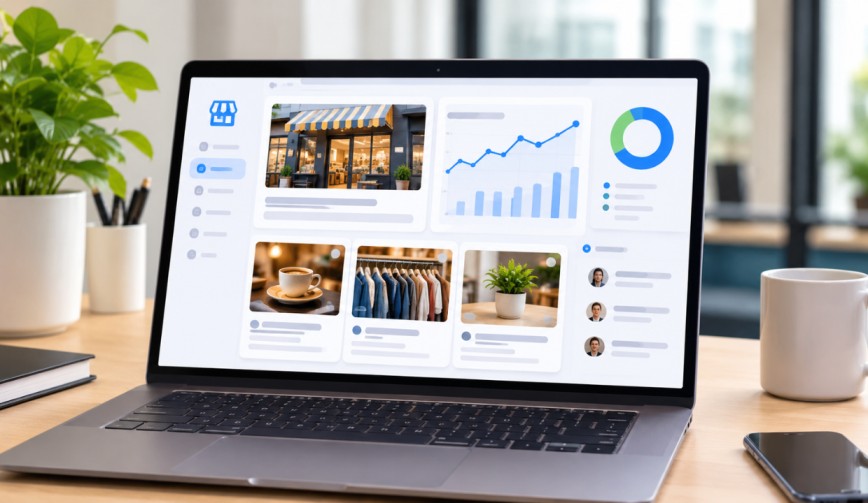
Be honest – when was the last time you posted an update to your business listing? If you stop to think about it, you’re not the only one. A lot of business owners see Google Business Profile Posts like a gym membership: they sign up with enthusiasm, post a few times, and then simply stop thinking about it. The positive point is that these minor updates can indeed bring genuine customers to your door as long as you use them correctly. Let’s examine how.
What Are Google Business Profile Posts?
(Source – OpenAI)
The free business listing that appears when someone searches for your business on Google or Google Maps is your Google Business Profile; it shows your address, opening hours, photos, and reviews.
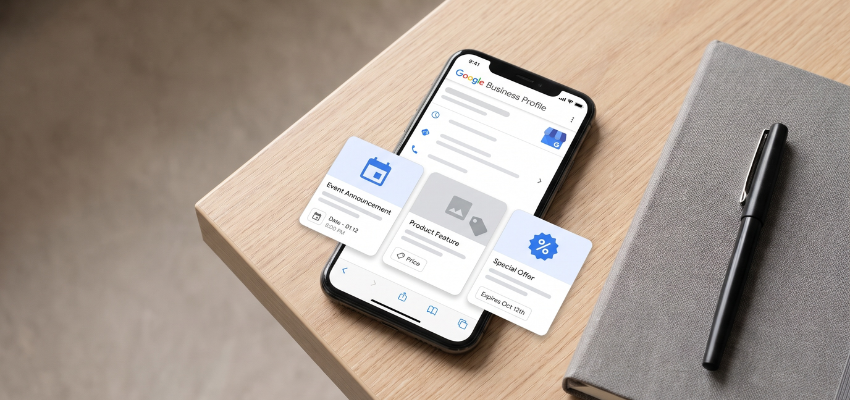
Google Business Profile Posts are brief updates that you can include in your business listing; you can view them as mini notice boards. They allow you to:
Share an offer.
Announce an event.
Highlight a new product.
Let people know what is going on this week.
These posts appear right beside your business information, since that’s precisely where people look when they’re deciding whether to call you or turn up.
👉Click here to see how Boss Wallah works with brands and what we can build for you
Why These Posts Matter for Local SEO
What local SEO is can be defined as aiding your business in appearing in search results when people in the vicinity look for the products you offer. When a person enters “bakery near me”, for example, Google determines which bakeries it should display first. The posts you make are one of the indications which show that your business is active and that it is being looked after.
A listing that is regularly updated seems active, while one that has no new information for a whole year appears as if a shop has its lights off. Customers pick this up and Google does too. Posting frequently can help improve your position in local search results and make your listing more appealing to potential clickers.
Are Your Updates Really Having the Desired Effect?
That is the straightforward reply: some posts do work while many don’t, and the reason for this generally lies in a number of simple factors.
Posts that usually fail are either vague, dull, or simply copied from social media without making any changes. For example, “Happy Monday, everyone!” may be nice, but it doesn’t give anyone a reason to visit you.
Effective posts provide people with something useful. This can be achieved, for example, by:
Offering a discount.
Introducing a new menu item.
Promoting a limited-time service.
Giving a quick answer to a common question.
A post which doesn’t help a customer in deciding to take action is most likely just noise.
Read More | The Local Business Intelligence Stack: How AI Turns City Data Into Business Ideas.
Types of Posts You Can Use
Google offers a number of formats, each of which serves a particular purpose.
Offer Posts: With offer posts, you can share a deal together with its start and end dates. They are very useful for sales and seasonal discounts.
Event Posts: These advertise things such as workshops, open days, or live music nights.
Update Posts: These are used for general news, for example, new stock, new staff, or changes in business hours.
Product Posts: These feature a particular item together with a photo and its price.
Choose the format that suits the message you want to convey. There’s no need to push a sale into an event post simply because you feel like it.
How to Write Posts That Bring in Customers
It’s not necessary for you to be a professional writer. Just observe these simple tips.
Begin with the key idea: Most people will only read the first line or two, so give them your most important information at the beginning.
Include a clear call to action: This consists of a brief instruction indicating what the reader should do next, for example, “Call today”, “Book now”, or “Visit us this weekend”. If you don’t include one, readers will admire your post but eventually leave.
Include a good photo: A bright and clear image of your actual products is always better than using a stock photograph. Customers are able to tell if a smile is fake from a distance.
Keep it brief: Between 100 and 300 words is more than enough. Even shorter is acceptable.
Mention your area naturally: For example, if you have a flower shop in Indiranagar, state that. The use of local terms helps your post connect with local customers who are searching in the surrounding area.
How Frequently Should You Post?
A good aim would be once a week since posts generally tend to fade over time and event posts vanish when the date has passed. Therefore, making regular updates helps keep your listing looking up to date.
If once a week sounds like too heavy a load, then try twice a month. It is better to maintain a steady and simple schedule than to publish ten posts and then have months of nothing.
How to Check If Your Posts Are Working
The step that most people omit is to go into your profile and look at the Insights section, since this displays the way people interact with your listing. You can see:
How many people viewed your profile.
How many clicked on your website.
How many asked for directions.
How many called you.
Here’s how you should proceed:
Publish a post that includes a clear and direct request.
Keep an eye on the statistics over the following week or so.
Check whether inquiries, website clicks, and direction requests have increased.
If there’s no change, try a different offer or use a better photograph.
Approach it as if it were a minor experiment rather than something you might fail.
Be sure to monitor Google reviews as well. Satisfied customers who refer to a recent promotion or product provide further evidence that your business is both active and trustworthy. Another fast way to boost customer engagement – meaning the level of interaction that people have with your business online – is to reply to the reviews.
Common Mistakes to Avoid
(Source – magnific.com)
Here are some common mistakes you should avoid when posting updates:
Posting only once and then disappearing.
Using blurry or unrelated photos.
Stuffing posts with too many keywords until they sound robotic.
Forgetting to add a call to action.
Letting offers run past their end date.
Once you have made these corrections, you will be in front of the majority of your competitors.
Read More | BossWallah vs Full-Service Agency vs In-House Team: Which Model Fits Your Business?
Need Videos, Creators, or Regional Content for Your Brand?
Boss Wallah helps brands plan and execute video content at scale, without managing multiple vendors.
We work with companies to:
- Shoot large volumes of short-form videos using real creators and studio setups, suitable for social media, websites, campaigns, and launches
- Adapt the same videos for different languages, regions, and platforms, so one shoot works across India and global markets
- Launch products or campaigns through dozens or hundreds of creators, all managed, tracked, and reported in one system
- Support brands with ongoing content, launches, regional expansion, and performance-focused campaigns
Whether you need videos for a new launch, content for multiple markets, creator-led visibility, or a steady content pipeline, Boss Wallah acts as a single partner handling production, creators, and execution end-to-end.
👉Click here to see how Boss Wallah works with brands and what we can build for you
Final Thoughts
One of the simplest and most affordable methods of remaining noticeable in your area is to use Google Business Profile Posts. They take only a short time and do not require any special tools. Simply publish useful updates, include a clear call to action, and periodically check your figures. If you do these things, your posts will cease to be a forgotten task and will begin to attract customers instead.
FAQs
1. Does the use of Google Business Profile Posts actually have an effect on rankings?
They aren’t a magic solution, but rather send signals indicating that your business is active. Together with good reviews, accurate details, and high-quality photos, they help improve your visibility.
2. For how long are the posts visible?
Regular updates and offers generally remain visible for about six months, although those posted more recently tend to receive more attention. Posts relating to events expire on the day of the event.
3. May I use the same post on both social media and Google?
While you could use the idea, it would be better to modify it. Google posts should be more direct and aimed at helping a local customer take action.
4. Is it necessary for me to put in links when I’m writing my posts?
Yes, including a button like ‘Book’, ‘Call’, or ‘Learn more’ makes it easy for people to proceed to the next step.
5. What if no one sees my posts?
There’s no need to panic. Just take some clearer photographs, make your offer stronger, and include a simple call to action. Keep posting regularly for a month or two before assessing the results.