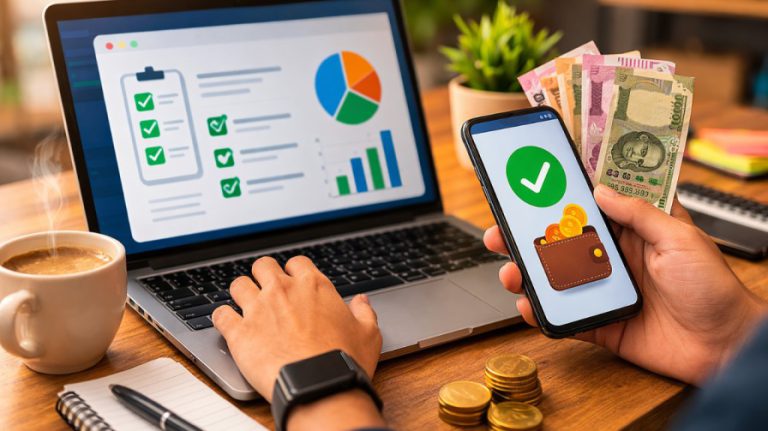
Stop Wasting Money: Your Essential Expense Tracker App Guide for 2025
Overview:
Expense tracker apps have become essential tools in 2025, helping users manage finances more efficiently in a world of rising inflation and digital spending. These platforms replace outdated methods like paper receipts by offering seamless features such as automatic bank syncing, transaction sorting, receipt scanning, and visual reports. Whether for personal budgeting or business tax prep, they provide valuable insights into spending habits, support savings goals, and improve financial control. With over 70% of users reporting positive results, expense trackers are now key to achieving financial wellness for individuals, freelancers, and businesses alike.
Money management is more important than ever, and a good expense tracker app can simplify the process by helping you set realistic budgets, reduce wasteful spending, and stay financially organised. Whether you’re looking for a free personal tracker or a robust business tool, these apps make it easy to monitor your spending and identify patterns. However, not all are created equal—some may compromise your privacy by accessing sensitive data. This guide explores the top expense tracker apps of 2025 to help you find the right one for saving money and gaining control of your finances.
Why You Need an Expense Tracker App in 2025

The financial world of 2025 brings new challenges that make expense tracking more significant than ever before. Daily financial decisions have become more complex, and the right tools to monitor your money have moved from a convenience to a necessity. Let’s look at why you need an expense tracker app on your smartphone this year.
Rising cost of living and inflation
Inflation has substantially affected household budgets, with retail inflation in India ranging between 5-6.5% in recent periods. Price increases touch everything from groceries to utilities and shrink your purchasing power even when your income stays the same. Here’s how an expense tracker helps:
- Identify price increases: Track your spending on the same items compared to previous months.
- Adjust budget categories: Move funds to areas hit hardest by inflation, such as food and fuel.
- Find alternatives: See which expenses have increased most dramatically so you can look for affordable options.
- Project future costs: Use tracking data to prepare for continued price increases.
Increased digital payments and subscriptions
Subscription services have grown by 435% in the last decade and will reach a market size of INR 126.57 trillion by 2025. Most consumers now handle multiple digital payment methods. You need systematic tracking to manage these recurring charges:
- Consolidate payment visibility: Connect transactions across digital wallets, cards, and automatic payments.
- Monitor subscription renewal dates: Get alerts before automatic renewals to assess their value.
- Identify duplicate services: See when you’re paying for multiple subscriptions that do similar things.
- Track free trial end dates: Stop unexpected charges when free trials become paid subscriptions.
Lack of visibility into daily spending
Understanding where your money goes becomes almost impossible without proper tracking. Many people struggle with overspending—55.9% say it’s their biggest financial challenge.
- Capture transactions immediately: Record expenses right away instead of trying to remember them later.
- Categorise automatically: Modern apps sort purchases into categories to show spending patterns.
- Set category limits: Create boundaries for discretionary spending to avoid budget overruns.
- Generate spending reports: Check weekly summaries to spot unexpected spending trends.
Note:
Small transactions and recurring subscriptions can quickly blur financial clarity and limit business growth if left unchecked.
Need for smarter financial planning
Accurate expense data makes financial planning work better:
- Create realistic budgets: Build future budgets using actual spending history instead of guesswork.
- Set achievable savings goals: Know how much you can save after tracking all expenses.
- Prepare for irregular expenses: Spot seasonal or occasional costs that might surprise you.
- Build emergency funds: Watch your progress toward financial safety nets for unexpected situations.
Tips:
Financial experts recommend looking at your expenses monthly or quarterly to spot patterns and adjust your budget accordingly.
How Expense Tracking Improves Financial Health
| Challenge | Without Tracking | Categorised transaction history |
|---|---|---|
| Rising Costs | Unexplained money shortages | Precise impact measurement |
| Subscriptions | Forgotten charges continue | Regular renewal evaluations |
| Daily Spending | Guesswork about where money goes | Organised deduction records |
| Financial Planning | Based on estimates | Informed decisions |
| Tax Preparation | Scrambling for receipts | Organized deduction records |
Today’s expense tracker apps do more than just record transactions. The best budget apps link to your financial accounts, track spending, sort expenses automatically, and alert you when you exceed budget limits. Better yet, 83.1% of people who follow a budget feel confident about managing their money. Regular expense tracking gives you control and clarity—key qualities you need to navigate the financial complexity of 2025.
Want to take control of your money and build real financial freedom?
Get step-by-step strategies proven by finance experts and wealth coaches – download the Boss Wallah App now.
5 Types of Expense Tracker Apps and Who They’re For

Your financial situation determines which tracking tools you’ll need to manage expenses well. The right expense tracker app can transform financial confusion into clarity.
1. Personal expense tracker apps
These apps help people handle daily expenses and reach their financial goals. We designed them to track personal spending, create budgets, and save money:
- Identify your tracking needs: Figure out if you want simple expense logging or complete budget management.
- Choose between free or premium: Most personal expense trackers come with free basic versions or feature-rich premium options.
- Connect your accounts: Add your bank accounts and credit cards to import transactions automatically.
- Set up spending categories: Make expense categories that fit your life (groceries, entertainment, etc.).
- Establish budget limits: Add monthly spending limits for each category to stay on track.
These trackers have user-friendly screens and simple features. Anyone can use them, even without much financial knowledge.
2. Business expense tracker tools
Business trackers help separate personal and business money while creating detailed tax reports:
- Select industry-specific options: Pick apps that match your business type (retail, service, etc.).
- Integrate with accounting software: Find tools that work with QuickBooks, Tally, or similar platforms.
- Enable receipt scanning: Use OCR technology to turn paper receipts into digital records.
- Set up approval workflows: Create multi-level systems to approve expense claims.
- Generate tax-ready reports: Sort reports by tax deduction categories.
These trackers include extras like mileage tracking, per diem math, and invoice creation to make financial management easier.
3. Couple expense tracker app India
Shared finance tools help couples work together and stay transparent:
- Create individual profiles: Each person gets their own login linked to a shared dashboard.
- Designate shared vs. personal expenses: Mark which costs you share and which stay separate.
- Implement split payment tracking: Keep tabs on who paid what and calculate what partners owe each other.
- Set mutual financial goals: Create shared savings targets and watch your progress.
- Schedule regular financial check-ins: Look at spending patterns together and make changes.
Indian couples love apps like Splitwise and Money Manager because they handle shared household expenses well.
4. Daily expense tracker apps for students
Student trackers focus on simplicity, learning, and tight budgets:
- Choose apps with a minimal learning curve: Look for apps that anyone can understand quickly.
- Set up semester/term-based budgets: Match your tracking with school terms and financial aid.
- Create education-specific categories: Add spots for textbooks, course fees, and study materials.
- Track part-time income: Keep an eye on money coming in from different sources.
- Analyse spending trends: Find patterns to make your student budget last longer.
Note:
Student trackers often include money management lessons along with their tracking features.
5. Online expense tracking for freelancers
Freelancers face special challenges with changing income and project costs:
- Separate business and personal finances: Keep personal and work expenses in different places.
- Track expenses by client/project: Link expenses to clients for billing and taxes.
- Monitor billable hours: Connect time tracking with expense records.
- Set aside tax provisions: Save the right amount for quarterly taxes.
- Generate client invoices: Make professional bills that include expenses to be paid back.
Tips:
Start with free versions to learn what you need before buying premium features.
Comparison of Expense Tracker Types
| Type | Primary Users | Key Features | Typical Cost |
|---|---|---|---|
| Personal | Individuals, families | Receipt scanning, tax categories, and approvals | Free to ₹250/month |
| Business | Companies, entrepreneurs | Project tracking, invoice generation, and tax preparation | ₹500-2500/month |
| Couple | Partners, roommates | Split expenses, balance tracking, shared goals | Free to ₹200/month |
| Student | College/university students | Simple interface, educational content | Mostly free |
| Freelance | Independent contractors | Project tracking, invoice generation, tax preparation | ₹250-1000/month |
Your success with expense tracking depends on finding an app that fits your money situation. Understanding what each type offers helps you pick the right tool for your financial needs.
How Expense Tracker Apps Actually Work

The sophisticated technology behind expense tracker apps’ sleek interfaces turns your financial data into practical insights. Learning how these systems work will help you pick the right tool and get the most out of your financial management.
Bank sync and SMS parsing
Today’s expense trackers gather transaction data in two main ways:
- Direct bank integration: Connect your bank accounts, credit cards, and e-wallets to build a unified financial dashboard.
- Enable permission: Let the app read your financial SMS notifications and emails.
- Secure authentication: Give access through bank-approved APIs that keep your credentials safe.
- Automatic updates: Your transactions show up in the app minutes after they happen.
- Token management: Advanced apps refresh connections quietly, so you won’t need to log in again due to broken connections.
These integrations succeed because “the app reads your transactional messages and provides real-time visibility into your finances”. Apps like Finart and Monetal combine expenses from different accounts based on SMS data.
Manual vs automatic entry
Control versus convenience shapes the debate between manual and automatic expense tracking:
- Know your style: Pick between control (manual) or convenience (automatic).
- Look at transaction volume: Automation saves time with lots of transactions.
- Check tech comfort: Manual entry suits people who prefer not sharing bank credentials.
- Check accuracy: Compare automated entries with statements at first.
- Mix methods: Many people use both—automatic for regular bills, manual for cash.
Automatic tracking removes “manually entering, cross-referencing, or reviewing expenses,” as “AI-powered tools can analyse dozens of transactions in seconds”. In spite of that, manual tracking helps you stay more aware of spending.
Real-time categorisation and alerts
- Original setup: Apps come with preset categories (food, travel, entertainment).
- AI processing: Machine learning algorithms sort transaction details into categories.
- Pattern recognition: Systems learn from how you categorise to get better.
- Rule creation: Make custom rules for regular transactions (Netflix always goes to “Entertainment”).
- Alert configuration: Get notifications when you near spending limits.
“ML automates transaction sorting like bills, groceries, and entertainment with ultimate accuracy, thereby getting rid of the need for manual entry”. These systems reduce errors by making data capture and processing consistent.
Note:
Great expense trackers give you both automatic sorting for ease and manual adjustments for precision.
Data visualisation and reports
- Select report type: Pick daily, weekly, monthly, or custom date ranges.
- Compare periods: Track spending patterns across different times.
- Drill down: Click visual elements to see category transaction details.
- Export data: Create spreadsheets or PDFs for taxes or planning.
- Share insights: Send reports to partners, accountants, or advisors.
Visual elements include “bar graphs, pie charts, and daily/weekly summaries” that “help users visualise their spending”. User-friendly interfaces boost understanding—some apps even “colour-code essentials like rent in red compared to discretionary spending like entertainment in blue”.
Tips:
Check your expense reports monthly and update categories as your money habits change.
Manual vs. Automatic Expense Tracking
| Feature | Manual Entry | Automatic Tracking |
|---|---|---|
| Time Required | High | Minimal |
| Accuracy | Depends on user diligence | High but needs occasional verification |
| Privacy | Maximum | Requires sharing credentials |
| Awareness | Enhanced spending consciousness | Convenient but less engaging |
| Best For | Cash transactions, privacy-focused users | High volume, digital payment users |
WATCH | Course on Financial Freedom
Top 8 Expense Tracker Apps to Consider in 2025


My research into expense tracking apps shows that they’re not all made equal. After trying dozens of options, I’ve found eight exceptional expense tracker apps that give great value in 2025.
1. Moneyview
Moneyview changes how you handle your finances by reading your SMS messages and showing your money situation right away. Here’s how to begin:
- Install the app and grant SMS permissions
- Let the app sort your payments by itself
- See your bank balances and recent transactions in one dashboard
- Look at weekly and monthly summaries to spot spending patterns
- Create tailored bill-paying reminders to avoid late fees
This personal finance manager shines by finding hidden financial data from your SMS logs, so you don’t need to enter anything manually.
2. Goodbudget
Goodbudget brings the envelope budgeting method into the digital age with virtual “envelopes” for different spending categories:
- Make virtual envelopes for things like rent, groceries, and entertainment
- Put specific amounts in each envelope before you spend
- Track expenses as they happen and watch your balances
- Share your budget across devices with budgeting partners
- Check your spending with the ‘Spending by Envelope Report’
The app has helped many users reach their money goals – one user paid off ₹843,804 in just 10 months.
3. Monefy
Monefy makes expense tracking quick with its accessible interface:
- Add expenses with just two taps on the circular interface
- See where your money goes through a simple chart
- Use the built-in calculator for quick math
- Keep your financial data safe with passcode security
- Share data across devices through Google Drive or Dropbox
ET Money gives you a complete financial management platform that’s especially popular in India. Here’s how to get the most from it:
4. ET Money
- Track expenses through automated categorisation
- Invest in zero-commission direct mutual funds
- Access tax optimisation tools
- See all investments in one dashboard
Standout feature: You can earn up to 25 lacs more over 25 years through ET Money’s direct mutual funds with 0% commission versus regular funds with 1% commission.
5. Wallet
Wallet by BudgetBakers helps you lead a “richer life” with over 14 million downloads and a 4.7 rating. Getting started is easy:
- Connect to your banks (supports 15,000+ institutions)
- Set unlimited daily, weekly, or monthly budgets
- Review automatically categorised transactions
- Share selected accounts with family members
Standout feature: Your data stays yours with Wallet—they don’t sell customer information to third parties.
6. Axio
Axio combines Capital Float, Walnut, and Walnut369 into an SMS-based money management solution. Here’s how to use it:
- Allow SMS permission to track expenses automatically
- Monitor daily and monthly spending
- Get payment reminders for bills and subscriptions
- Access “pay later” options for purchases
Standout feature: The app reads messages to categorise everything and learns patterns for future transactions.
7. Mint
Credit Karma has reimagined Mint to help you track finances across multiple institutions. Make the most of it by:
- Link accounts from over 17,000 financial institutions
- See all transactions in one place
- Track spending by category
- Get monthly insights about money habits
Standout feature: You can keep tabs on all your money in one place with complete transaction visibility.
8. Zoho Expense
Zoho Expense simplifies corporate expense tracking. Here’s how to implement it:
- Scan receipts automatically in 11 different languages
- Track mileage in 4 different ways
- Set up customised approval workflows
- Generate 20+ analytical reports directly from mobile
Standout feature: You can upload receipts, record expenses, and track mileage even without an internet connection.
How to Pick the Right App for Your Needs
Finding the right expense tracker app means matching the tool to your specific financial management needs. You should think about which features will improve your financial habits instead of getting distracted by flashy extras.
Match features to your lifestyle
- Identify your main goal – Budget tracking, debt reduction, or investment management
- Determine must-have features – Cash flow forecasting, receipt scanning, or tax categorisation
- Think about your financial complexity – Multiple accounts need more reliable integration capabilities
- Review your tracking preference – Manual entry for awareness or automation for convenience
- Know your tech comfort level – Accessible interface for beginners or advanced features for tech-savvy users
Check compatibility with your bank
- Verify supported financial institutions – Not all apps sync with all banks
- Check integration depth – Some apps only read balances, while others track individual transactions
- Review connection stability – Read user feedback about connection reliability
- Confirm security protocols – Look for bank-level encryption standards
- Test sync frequency – Immediate updates or daily synchronisation
Read user reviews and ratings
- Check app store ratings – Look for apps with at least 4+ stars
- Review volume matters – Focus on apps with substantial reviews (3,500+ reviews)
- Look beyond overall ratings – Read recent reviews for current issues
- Note ad frequency complaints – Free versions often show ads as a tradeoff
- Look at longevity – Apps with consistent updates show ongoing support
Note:
Highly-rated apps might not suit your needs—personal experience determines value.
Test usability with free trials
- Try before committing – Most quality apps offer free trials or versions
- Test core functions – Make sure simple features work smoothly
- Review learning curve – The interface should feel accessible within days
- Check mobile experience – App should work well on your device
- Look at reporting quality – Reports are a great way to get clear financial insights
Tips:
You can install multiple apps during trial periods to compare their performance with your actual financial data.
Key Selection Criteria
| Selection Factor | What to Prioritize | Red Flags |
|---|---|---|
| Ease of Use | Accessible interface, minimal learning curve | Complicated setup, confusing navigation |
| Features | Core functions matching your needs | Bloated with unnecessary extras |
| Security | Encryption, two-factor authentication | Vague privacy policies, limited security options |
| Compatibility | Works with your financial institutions | Limited bank connections, sync issues |
| Cost | Value relative to your needs | Hidden fees, essential features locked behind paywalls |
Pro Tip : Want to build money skills without spending a rupee? Check out the top free financial education resources of 2025 — Click now
Security and Privacy in Expense Tracking Apps

Financial apps have become part of our daily lives, and their security implications need attention. Recent data shows that financial institutions were targets of 27.32% of global phishing attacks in 2023. Your expense data’s security should be your top priority.
What permissions apps usually ask for
- Location access: Apps track where you spend money to spot unusual transactions
- Personal information: Simple details like your name, email, and contact information
- Financial information: Your transaction data, account numbers, and balances
- Message access: Apps need to read SMS for transaction alerts and OTPs
- Photos and media: Apps store your receipt images
A concerning fact shows that 60% of 20 popular budgeting apps share user data with third parties. Some apps even share sensitive details about credit scores, payment information, and purchase history.
How to check if your data is safe
- Review encryption standards: Apps with 256-bit encryption provide better security than standard 128-bit encryption
- Verify authentication methods: Pick apps that use two-factor authentication, biometrics, or PIN protection
- Check security certifications: Look for apps with SOC 2 compliance, while ISO 27001 certification shows stronger security measures
- Privacy policies: Look for words like “sell” or “share” to understand how apps use your data
- Research the company’s reputation: Break down the app’s history and leadership team before you download
Note:
The Ponemon Institute reports that human error causes about 27% of data breaches.
Tips to protect your financial information
- Create unique passwords: Set different, strong passwords for each financial account and app
- Avoid public Wi-Fi: Connect to financial apps through cellular data or VPN instead of unsecured networks
- Monitor your accounts: Check your financial accounts often for unusual activity
- Keep software updated: Quick security patch installation protects you from vulnerabilities
- Limit app permissions: Give apps only the access they need (like camera access just for scanning receipts)
Tips:
Your financial data needs regular backups to an external drive or secure cloud storage.
Security Features to Look For in Expense Tracker Apps
| Security Feature | Why It Matters | What to Look For |
|---|---|---|
| Encryption | Prevents unauthorised changes | 256-bit encryption or higher |
| Authentication | Prevents account breaches | Two-factor authentication, biometrics |
| Data Storage | Determines vulnerability to breaches | Secure cloud storage, local encryption |
| Privacy Policy | Outlines how your data is used | Clear terms, limited data sharing |
| Access Controls | Prevents unauthorized changes | Role-based permissions, session timeouts |
Key Takeaways
Master your finances in 2025 with these essential insights about expense tracker apps that can transform your financial habits and stop money waste.
• Rising costs demand precise tracking: With inflation hitting 5-6.5%, expense trackers help identify price increases and adjust budgets to maintain purchasing power effectively.
• Automation beats manual entry for busy lifestyles: Modern apps sync with banks and parse SMS messages, eliminating tedious receipt management while providing real-time spending visibility.
• Match app features to your specific needs: Personal trackers focus on budgeting, business tools offer receipt scanning, while student apps emphasise simplicity and educational resources.
• Security should never be compromised: Choose apps with 256-bit encryption, two-factor authentication, and clear privacy policies to protect your sensitive financial data.
• Free trials reveal true compatibility: Test multiple apps simultaneously with your actual financial data to find the perfect match before committing to premium features.
The key to financial success lies not in finding the most popular app, but in selecting one that aligns with your lifestyle, security requirements, and financial goals. Start tracking today—your future financial clarity depends on the habits you build now.
Want to master your personal finances and build real wealth?
Explore Boss Wallah, where 500+ practical courses by top finance experts and wealth coaches offer step-by-step guides on budgeting, saving, investing, and achieving financial freedom.
Courses are available in Tamil, Telugu, Kannada, Malayalam, Hindi, and English, so you can learn in your own language.
Discover proven strategies, smart investment ideas, tax-saving methods, and real-world money management tips that actually work. Start your journey to financial independence today — download the Boss Wallah App now.
Conclusion
In 2025, expense tracker apps will have become essential tools for managing personal and business finances, offering clarity on spending, highlighting waste, and helping users make smarter financial decisions. The best tracker is one that aligns with your unique goals, habits, and security needs—not just the most popular option. Free trials let you explore features risk-free, while data safety should always be a top priority, with strong encryption, secure logins, and smart user practices like avoiding public Wi-Fi. Whether you choose a simple app like Monefy or a robust one like Zoho Expense, starting now can bring lasting financial confidence and control.
FAQs
It’s a mobile or web app that helps you record and manage daily expenses, budgets, and financial goals.
Many apps offer free versions with basic features. Premium versions offer more detailed reports and automation.
Walnut and ET Money are among the best free options in 2025.
Yes, most apps allow offline tracking and later sync when you reconnect.
Yes, trusted apps use encryption and bank-level security protocols.
Definitely. By tracking spending patterns, you can cut unnecessary expenses and save more.
You can manually enter them in the app as they happen or at the end of the day.
Yes, apps like ET Money and Walnut support Indian banks and UPI integrations.
Most apps allow you to backtrack and add previous expenses later.
Absolutely! These apps help young people learn how to manage money smartly from an early age.