How to Make Instagram Reels Easily with VN Templates
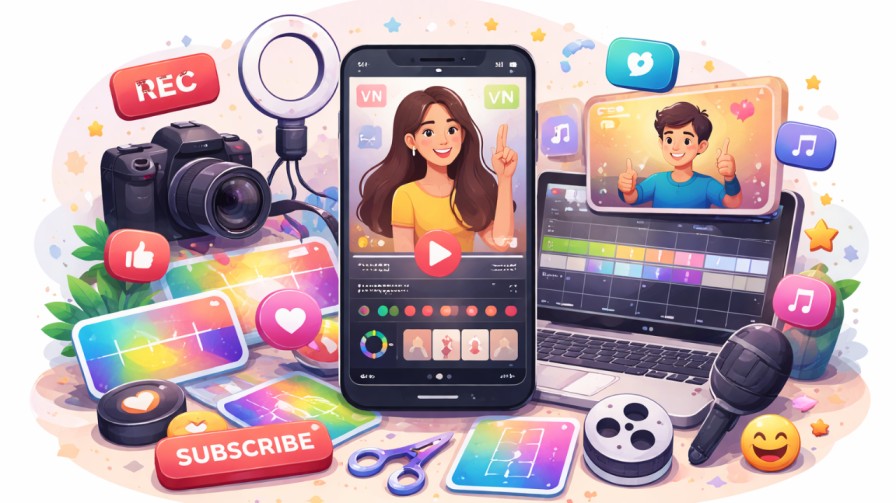
Want to create Instagram Reels without spending hours editing videos? VN templates can make the process much easier. Instead of arranging every clip, adding transitions and adjusting effects yourself, you can start with a ready-made design.
VN Templates for Reels allow you to add your own photos and videos to an existing editing layout. You can make a few changes, preview the result and export your video.
Let’s look at how to find and use these templates step by step.
What Are VN Templates for Reels?
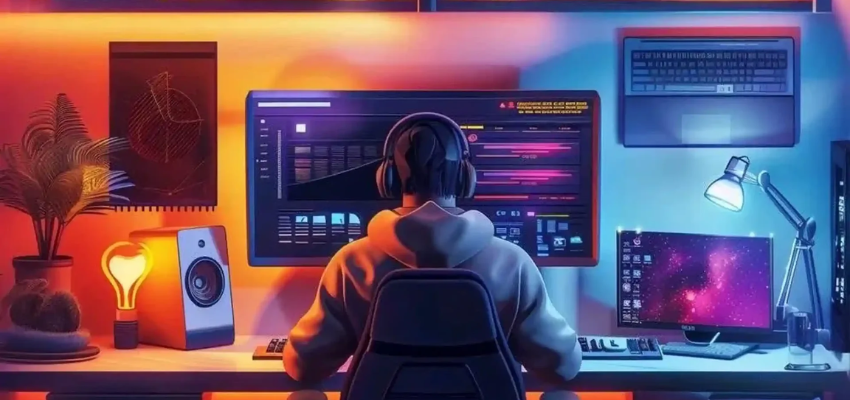
(Source – vntemplatescode.com)
VN templates are ready-made video editing layouts available through the VN Video Editor app.
They can include:
Pre-arranged video clips and photo slots
Music beat markers
Video transitions
Text styles
Filters and effects
You simply replace the sample photos or videos with your own content and customise the available settings.
For example, if you want to create a birthday Reel, you can select a photo slideshow template and add pictures from your gallery.
👉 Click here to see how Boss Wallah works with brands and what we can build for you
Why Should You Use VN Templates?
Here are some simple reasons to try them.
1. Save Editing Time
You do not have to create every transition or arrange every clip yourself. Templates give you a ready-made structure to work with.
2. Make Better-Looking Videos
Templates include different editing styles, effects and transitions that can make your videos look more organised.
3. Easy for Beginners
You do not need advanced editing knowledge to get started. Choose a template, add your clips and make the available changes.
4. Try Different Video Styles
You can experiment with travel videos, photo slideshows, birthday edits, product videos and more.
Types of VN Templates You Can Try
Choose a template based on the type of video you want to create.
Photo Slideshow Templates: Add multiple pictures to create birthday videos, travel memories or event highlights.
Beat-Sync Templates: Match your video clips with music beats for a smooth editing style.
Travel Templates: Combine travel photos and videos to create short trip highlights.
Before-and-After Templates: Show changes or transformations using different clips.
Product Templates: Present products using simple transitions and text.
Text-Based Templates: Share tips, announcements or short messages with animated text.
These are common editing styles to explore, not a list of verified current trends.
How to Find VN Templates for Reels
You can find templates in a few simple ways.
1. Explore the VN App
Open VN Video Editor and tap the Discover section. Browse the available templates or search for a style that matches your video.
2. Check VN’s Official Instagram Page
Visit VN’s official social media channels to explore template examples and creative ideas.
3. Search for VN Template Codes
Some creators share VN templates through QR codes or downloadable template files. You can search for #VNTemplate on Instagram to discover examples.
4. Explore Third-Party Websites
Some independent websites also share VN template codes and files. Check the source and its terms before downloading or using them.
Read More | 10 Best Hashtags for Instagram for Likes and Followers in 2025
How to Use VN Templates Step by Step
(Source – devtechnosys.com)
Once you find a template, follow these steps.
Step 1: Open VN Video Editor
Install or open the VN Video Editor app on your phone.
Tap the Discover section to explore available templates.
Step 2: Choose Your Template
Select a template that matches your video idea.
Preview it before downloading so you know how many photos or video clips you need.
Step 3: Download the Template
Tap the Download option. Once the template is ready, tap Use to start editing.
Step 4: Add Your Photos and Videos
Select the photos or clips from your phone gallery.
Choose media that matches the template. For example, use travel photos for a travel video and product clips for a product Reel.
Step 5: Make Simple Changes
You can make changes to the available editing options, such as:
Replace photos and video clips.
Crop or reposition your footage.
Apply filters.
Adjust clip volume.
Change other editable settings.
Some templates have restrictions, so you may not be able to change every element.
Step 6: Preview Your Video
Watch the complete video before saving it.
Check that the photos are in the correct order, the text is readable and the transitions look smooth.
Step 7: Export Your Reel
Tap Export and select your preferred video quality.
Save the video to your phone and upload it to Instagram Reels.
Tips to Make Your VN-Edited Reels Look Better
Using a template is easy, but a few small changes can make your video more interesting.
Use clear photos and videos: Good-quality clips help improve the final result.
Choose the right template: Make sure the editing style matches your content.
Avoid too many effects: Keep your video simple and easy to watch.
Use readable text: Avoid small fonts and too much text on the screen.
Choose suitable music: Pick audio that matches your video and is permitted for your intended use.
Add your own style: Change the available clips, colours and text to make the video feel personal.
Common Problems When Using VN Templates
1. The Template Is Not Opening
Check your internet connection and update the VN app. If you are using a QR code, make sure the complete code is visible and clear.
2. You Cannot Change the Text or Transitions
Some templates allow users to replace only photos and videos. The creator may have restricted changes to other elements.
3. Your Photos Look Cropped
Your photos may have a different shape from the template. Use the Crop option to adjust their position.
4. The Exported Video Looks Blurry
Check your export resolution and make sure your original photos and videos are clear. Higher export settings can improve output quality, but they cannot restore details missing from low-quality footage.
Can You Use VN Templates for Business Videos?
Yes, but check the template and material permissions first.
According to VN’s official licensing guidance, templates from its official channels can be used in commercial projects. Templates from other sources may have different permissions.
Also check the music licence. Some music tracks require permission or credit, even when other VN materials are permitted for commercial use.
If you are creating videos for a brand or client, do not assume every free template or music track is cleared for commercial use.
Need Videos, Creators, or Regional Content for Your Brand?
Boss Wallah helps brands plan and execute video content at scale, without managing multiple vendors.
We work with companies to:
- Shoot large volumes of short-form videos using real creators and studio setups, suitable for social media, websites, campaigns, and launches
- Adapt the same videos for different languages, regions, and platforms, so one shoot works across India and global markets
- Launch products or campaigns through dozens or hundreds of creators, all managed, tracked, and reported in one system
- Support brands with ongoing content, launches, regional expansion, and performance-focused campaigns
Whether you need videos for a new launch, content for multiple markets, creator-led visibility, or a steady content pipeline, Boss Wallah acts as a single partner handling production, creators, and execution end-to-end.
👉 Click here to see how Boss Wallah works with brands and what we can build for you
Conclusion
VN templates make Instagram Reels editing easier, especially if you are new to video editing or want to save time.
Explore the available templates, choose one that suits your content and add your own photos and videos. Make a few changes to give the Reel your personal touch.
You do not need complicated editing skills to create a good Reel. Start with a simple template and improve your editing as you practise.
Frequently Asked Questions
1. Are VN templates free to use?
VN provides templates through its app, including free options. However, templates from third-party sources may have separate costs or usage conditions.
2. How do I find VN templates for Instagram Reels?
Open VN Video Editor and explore the Discover section. You can also check VN’s official social media channels and template codes shared by other creators.
3. Can I edit VN templates after downloading them?
Yes, you can replace photos and videos and adjust certain settings. However, some templates restrict changes to text, transitions and other editing elements.
4. Can I use VN templates for business videos?
Templates from VN’s official channels can be used in commercial projects under its licensing guidance. For third-party templates, check the provider’s permissions first.
5. Does VN Video Editor add a watermark?
VN’s official app listing describes it as a video editor without a watermark. Check your current export settings before publishing.
6. Can beginners use VN templates?
Yes. Templates provide a ready-made editing layout, making them useful for beginners who want to create videos without starting from scratch.