Meta AI for WhatsApp Customer Support for Small Businesses
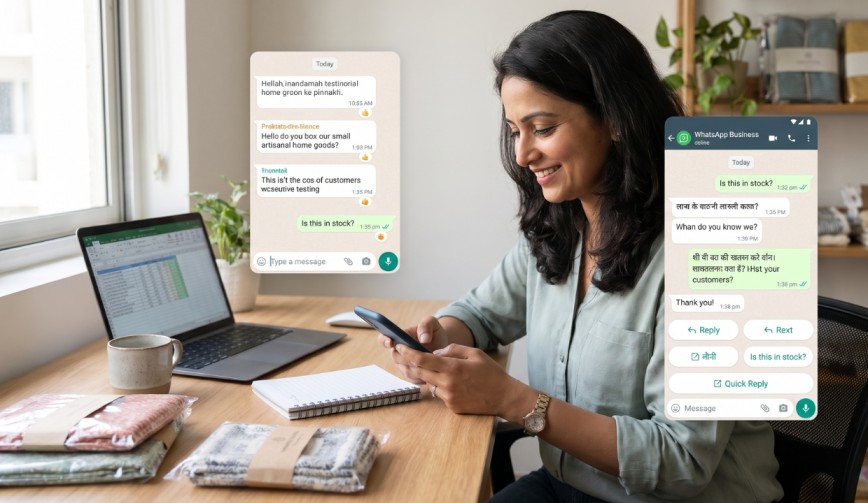
If you’re running a business, you know the feeling. It’s 10 p.m. You’ve just finished dinner. Your phone buzzes. “Hi, is this still available?” Two minutes later: “Hello? Is anyone there?” That pressure is real. Meta AI for WhatsApp Customer Support for Businesses was built to take that stress off your shoulders. It helps you answer customers fast, even when you’re busy, asleep or trying to ignore your inbox.
Let’s look at what it is, how it works and how to use it without making your business seem like a robot runs it.
What Is Meta AI and Why Should You Care?

(Source – OpenAI)
Meta is the company behind WhatsApp, Facebook and Instagram. Its smart assistant is called Meta AI. AI stands for artificial intelligence. That’s a fancy way of saying a computer program that can understand questions and give useful answers.
For business owners, this matters because most customers today would rather send a message than make a call. Many people already use WhatsApp every day. If your replies are slow, they might just go to a competitor who answered faster.
👉Click here to see how Boss Wallah works with brands and what we can build for you
How Meta AI for WhatsApp Customer Support for Small Businesses Works
Think of it like a team member who never takes a lunch break. You give it details about your business, such as your hours, prices, products and delivery policy, and it can answer questions when a customer messages you.
It works best with the WhatsApp Business app. This app is free and made for businesses. It lets you:
Set up a business profile.
Create a product catalogue.
Send replies to customers.
Set up automated messages.
An automatic reply is a message sent automatically, for example, when someone messages you outside business hours.
Big companies often use the WhatsApp Business API. That’s a tool that connects WhatsApp with other software. Most small businesses don’t need it at the start. Don’t let the name scare you.
One thing to remember: Meta rolls out its AI features slowly. Offerings vary by country. To see what’s available to you, check your WhatsApp Business settings.
The Biggest Benefits for Your Business
1. Faster Replies
Speed matters. A quick response can mean the difference between a sale and a lost customer. People often message several shops at once and buy from the first one that replies. An AI assistant can answer in seconds.
2. Less Repeating Yourself
How many times a day do you type your opening hours or explain your return policy? With quick replies, you can save common answers and send them with one tap. Meta AI can go further by helping you write or change those answers.
3. Support Outside Working Hours
You deserve a night’s sleep. Customers don’t always check the clock. The assistant can handle questions while you rest. You can step in and respond to anything that needs your attention in the morning.
4. Happier Customers
Fast, clear answers make customers happy. Happier customers come back. They also tell their friends. That’s advertising. Who wouldn’t want that?
How to Get Started in Five Steps
1. Get the WhatsApp Business app: Set up your business profile with your name, address, hours and a short description.
2. Add your product catalogue: List your products or services with photos and prices.
3. Prepare a list of replies: Think about the ten most frequently asked questions. Save them as quick replies.
4. Turn on automated replies: Set a greeting message and an away message for when you’re closed.
5. Try the AI features: When Meta AI tools are available to you, test them with sample questions before real customers see them.
Test the information. For example, ask the assistant: “Do you deliver on Sundays?” Then check if the answer is right. If it’s wrong, update the details you gave it.
Keep It Human (Your Customers Will Thank You)
AI can reply fast. It can’t replace your personality. Here are some simple rules:
Be honest: Add a note when a customer talks to an assistant. Say something like, “You’re chatting with our smart assistant.” That builds trust.
Keep a friendly tone: A message like “Thanks for writing in! Here are our timings” works better than a stiff, formal reply.
Know when to step in: Customers with complaints, refund requests or frustration need a person. Make it easy for them to reach you.
Review conversations: Each week, look at a few chats. Find mistakes or questions the assistant couldn’t answer.
Common Mistakes to Avoid

(Source – magnific.com)
Giving too little information: The assistant can only answer what it knows. If you didn’t tell it about delivery costs, it might guess. That can lead to confusion and unhappy customers.
Setting it up and then forgetting it: Prices change. Promotions end. Stores close during holidays. Update your information often.
Sending too many messages: No one likes being flooded with promotions. Use customer service chats to help people. Only send offers to those who have agreed to receive them.
Ignoring privacy: Never ask customers to share passwords or card numbers in chat. Payments must be made through trusted methods.
A Quick Real-Life Example
Imagine Priya. She owns a home bakery. Before, she spent two hours each evening answering questions about flavours, prices and delivery. Now, she uses quick replies and lets AI handle simple queries. That brings her time down to thirty minutes.
The time she saves goes into baking, which is her main job. Her customers get answers faster. Her cakes get more care. Everyone wins. Except the leftover cake she eats herself.
Need Videos, Creators, or Regional Content for Your Brand?
Boss Wallah helps brands plan and execute video content at scale, without managing multiple vendors.
We work with companies to:
- Shoot large volumes of short-form videos using real creators and studio setups, suitable for social media, websites, campaigns, and launches
- Adapt the same videos for different languages, regions, and platforms, so one shoot works across India and global markets
- Launch products or campaigns through dozens or hundreds of creators, all managed, tracked, and reported in one system
- Support brands with ongoing content, launches, regional expansion, and performance-focused campaigns
Whether you need videos for a new launch, content for multiple markets, creator-led visibility, or a steady content pipeline, Boss Wallah acts as a single partner handling production, creators, and execution end-to-end.
👉Click here to see how Boss Wallah works with brands and what we can build for you
Final Thoughts
Meta AI for WhatsApp Customer Support for Businesses isn’t here to replace you. It’s meant to handle routine questions so you can focus on what really grows your business. Start small. Try the features. Keep your replies warm. Jump in when a customer needs a person.
Frequently Asked Questions
1. Is Meta AI for WhatsApp Customer Support aimed at businesses free?
The WhatsApp Business app is free to download and use. Some advanced tools, like the WhatsApp Business API, may have charges. Check Meta’s pricing for your country.
2. Are skills necessary in order to use it?
No coding is needed. Setting up the WhatsApp Business app, quick replies and automated replies can all be done with a few taps.
3. Are customers going to realise that they are speaking to an AI?
It’s best to let them know. You could say, “You are chatting with our assistant” in your welcome message. That’s honest and clear.
4. Is the AI capable of dealing with complaints?
It handles basic questions well. Complaints need a human touch. Make it easy for upset customers to reach you or your team.
5. Is it safe to give customer information to it?
Be careful. Share only what’s needed. Never ask for passwords or card numbers in chat. Read Meta’s privacy policy to understand how your data is handled.