How to Schedule Instagram Posts and Reels in 2026
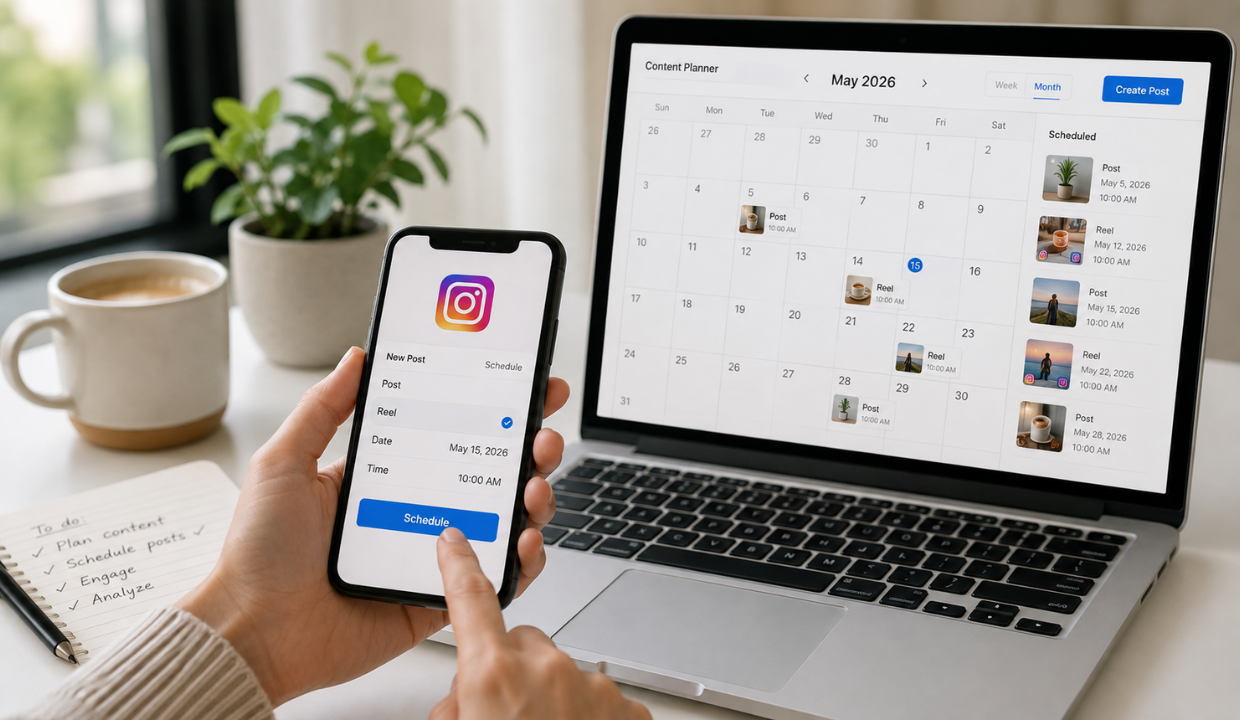
In 2026, consistency on Instagram is key to growing your followers, engaging with your audience, and staying ahead in the digital game. But managing daily posts, reels, and stories manually can be exhausting. That’s where an Instagram post scheduler comes in. These tools help automate your Instagram posts, saving time, maintaining brand presence, and optimising your posting schedule – even when you’re asleep!
What is an Instagram Post Scheduler?
An Instagram post scheduler is a tool or app that lets you plan, create, and automatically publish your posts, reels, stories, and even carousel content at a scheduled time. These tools offer content calendars, auto-publishing, and performance tracking, making it easier for creators and businesses to manage their Instagram.
👉Click here to see how Boss Wallah works with brands and what we can build for you
Why Use an Instagram Scheduler in 2025?
Here are the top reasons to use Instagram scheduling tools:
- Save time by automating posts.
- Boost engagement by posting at optimal times.
- Maintain posting consistency for better reach.
- Access analytics to improve content strategy.
- Manage multiple accounts from one dashboard.
Read More | AdSense vs Affiliate Income: Which Pays Creators More in 2026.
Top 10 Instagram Post Scheduler Tools in 2025
| Tool Name | Free Plan | Best For | Key Features | Website |
| Later | ✅ | Visual planners | Drag & drop calendar, reels support, hashtag tools | later.com |
| Buffer | ✅ | Beginners & teams | Easy UI, post previews, analytics | buffer.com |
| Hootsuite | ❌ (Free trial) | Large businesses | Multi-platform support, scheduling, and monitoring | hootsuite.com |
| Metricool | ✅ | Analytics-focused | Reports, content calendar, TikTok + IG integration | metricool.com |
| Planoly | ✅ | Creatives & brands | Grid planning, analytics, link-in-bio tool | planoly.com |
| SocialBee | ❌ | Agencies | Post recycling, AI captions, and evergreen content | socialbee.com |
| Sked Social | ❌ | E-commerce brands | Instagram story scheduling, link-in-bio tools | skedsocial.com |
| Crowdfire | ✅ | Influencers | Auto-scheduling + article curation | crowdfireapp.com |
| Preview App | ✅ | Aesthetic feeds | Drag-and-drop feed planner, reels support | thepreviewapp.com |
| Pallyy | ✅ | Budget-friendly use | Affordable, link-in-bio, grid preview | pallyy.com |
How to Choose the Right Instagram Scheduler Tool?
Here’s what to consider before picking a tool:
1. Feature Set
- Does it support reels, carousels, and stories?
- Can you schedule first comments (for hashtags)?
- Does it offer analytics and team collaboration?
2. Ease of Use
- Look for drag-and-drop interfaces.
- Mobile apps can be a plus for on-the-go users.
3. Pricing
- Some tools are freemium; others offer trials. Choose based on your budget.
4. Instagram API Compliance
- Ensure the tool is Instagram-approved to avoid login issues or bans.
Read More | How a Video Ads Production Company Supports Performance Marketing Agencies.
Best Time to Post on Instagram in 2025 (According to Analytics)
| Day | Best Time to Post (IST) |
| Monday | 11 AM – 1 PM |
| Tuesday | 10 AM – 12 PM |
| Wednesday | 11 AM – 1 PM |
| Thursday | 12 PM – 2 PM |
| Friday | 1 PM – 3 PM |
| Saturday | 9 AM – 11 AM |
| Sunday | 10 AM – 12 PM |
How to Schedule Instagram Posts – Step-by-Step Guide
Here’s a quick 5-step process to schedule your Instagram posts:
- Pick your tool (e.g., Later, Buffer).
- Connect your Instagram account (business or creator account preferred).
- Upload content (images, videos, captions).
- Select date and time.
- Click ‘Schedule’ or ‘Auto-publish’ – you’re done!
Top Features to Look For in 2025
- Instagram Reels Scheduling
- First Comment Scheduling (for hashtags)
- Hashtag Suggestions
- Team Collaboration
- AI-Powered Captions
- Link-in-Bio Integration
- Multi-platform Posting
Key Takeaways
- An Instagram post scheduler helps automate and optimise your social media presence.
- Tools like Later, Buffer, and Planoly offer user-friendly interfaces and smart features.
- Posting at the right time boosts visibility and engagement.
- Use tools that support reels, analytics, and link-in-bio features.
- Always use tools approved by Instagram’s API for safe automation.
Need Videos, Creators, or Regional Content for Your Brand?
Boss Wallah helps brands plan and execute video content at scale, without managing multiple vendors.
We work with companies to:
- Shoot large volumes of short-form videos using real creators and studio setups, suitable for social media, websites, campaigns, and launches
- Adapt the same videos for different languages, regions, and platforms, so one shoot works across India and global markets
- Launch products or campaigns through dozens or hundreds of creators, all managed, tracked, and reported in one system
- Support brands with ongoing content, launches, regional expansion, and performance-focused campaigns
Whether you need videos for a new launch, content for multiple markets, creator-led visibility, or a steady content pipeline, Boss Wallah acts as a single partner handling production, creators, and execution end-to-end.
👉Click here to see how Boss Wallah works with brands and what we can build for you
Conclusion
Using an Instagram post scheduler in 2025 is no longer optional—it’s essential. Whether you’re a creator, business owner, or influencer, these tools let you stay consistent, creative, and competitive. From saving time to boosting engagement and reach, automating your Instagram strategy with the right tool can take your social media game to the next level.
FAQs
Yes, as long as the scheduler is Instagram API-approved (like Buffer or Later).
Yes, many tools like Later and Planoly now support stories and reels.
Most offer a free plan, with premium features in paid versions.
Yes, auto-publishing requires a business or creator account.
Later, Buffer and Pallyy are popular free options.
Yes, most tools offer mobile apps for easy scheduling.
No, in fact, timely posting can increase engagement.
Yes, tools like Later and Hootsuite allow first comment scheduling.
Yes, some offer AI-generated captions and analytics.
Yes, many tools support multi-account scheduling.